DJ TechTools
  • Blog
    • DJ Gear
      • DIY Projects
      • Gear Reviews
      • New Products
      • Controllerism
    • Techniques + Tips
      • Beginner DJ
      • Advanced DJ
      • Producer
      • Finger Drummer
    • News + Culture
      • Editorials + Opinions
      • Artist Interviews
      • Performances + Routines
      • How I Play
    • DJ Software Tutorials
      • Serato Tips
        • Traktor Tips
      • CDJ Tips
      • Ableton Live Tips
  • Store
    • Run by real DJs, not a corporation
    • DJ Controllers
      • Midi Fighter Twister
      • Midi Fighter Spectra
      • Midi Fighter 64
      • View All
    • Accessories
      • Chroma USB Drive for DJs
      • Chroma Caps
      • Chroma Cables Audio
      • Chroma Cables USB-A
      • Chroma Cables: USB-C
      • DJTT Gift Card
      • Midi Fighter T-Shirt
      • Keyboard Covers
      • Earplugs by V-Moda
    • Production Gear
    • Soundcards & Mixers
  • Community
    • Popular Forums
      • General Discussion
      • Buy & Sell
      • Reviews
      • Mixes
      • Music Production
      • Show Your Setup
      • Off Topic
    • Handy Links
      • New Posts
      • Private Messages
      • Register
      • Search
    • Midi Maps
      • Traktor
      • Ableton
      • Serato DJ
      • Midi Fighter 3D
      • Midi Fighter Twister
      • Midi Fighter Spectra
  • Midi Fighter
  • Chroma
No Result
View All Result
DJ TechTools
  • Blog
    • DJ Gear
      • DIY Projects
      • Gear Reviews
      • New Products
      • Controllerism
    • Techniques + Tips
      • Beginner DJ
      • Advanced DJ
      • Producer
      • Finger Drummer
    • News + Culture
      • Editorials + Opinions
      • Artist Interviews
      • Performances + Routines
      • How I Play
    • DJ Software Tutorials
      • Serato Tips
        • Traktor Tips
      • CDJ Tips
      • Ableton Live Tips
  • Store
    • Run by real DJs, not a corporation
    • DJ Controllers
      • Midi Fighter Twister
      • Midi Fighter Spectra
      • Midi Fighter 64
      • View All
    • Accessories
      • Chroma USB Drive for DJs
      • Chroma Caps
      • Chroma Cables Audio
      • Chroma Cables USB-A
      • Chroma Cables: USB-C
      • DJTT Gift Card
      • Midi Fighter T-Shirt
      • Keyboard Covers
      • Earplugs by V-Moda
    • Production Gear
    • Soundcards & Mixers
  • Community
    • Popular Forums
      • General Discussion
      • Buy & Sell
      • Reviews
      • Mixes
      • Music Production
      • Show Your Setup
      • Off Topic
    • Handy Links
      • New Posts
      • Private Messages
      • Register
      • Search
    • Midi Maps
      • Traktor
      • Ableton
      • Serato DJ
      • Midi Fighter 3D
      • Midi Fighter Twister
      • Midi Fighter Spectra
  • Midi Fighter
  • Chroma
No Result
View All Result
DJ TechTools

DJ Rig for iPad Now Available from IK Multimedia

Markkus Rovito by Markkus Rovito
September 27, 2012
in Breaking News, DJ Gear Announcements, News, News + Culture
Reading Time: 3 mins read
0
DJ Rig for iPad Now Available from IK Multimedia
348
VIEWS
Post on FacebookTweet thisUpvote on Reddit

Could the new DJ Rig iPad app and iRig Mix hardware mixer be the real answer to the question of DJing with in iPad? IK Multimedia today released DJ Rig for iPad to the Apple App Store. The new offering adds many features to the previous DJ Rig for iPhone app, and includes a full DJ hardware simulated environment, with two decks, a mixer, multieffects and a phrase sampler. Hit the jump for more details, images and videos.
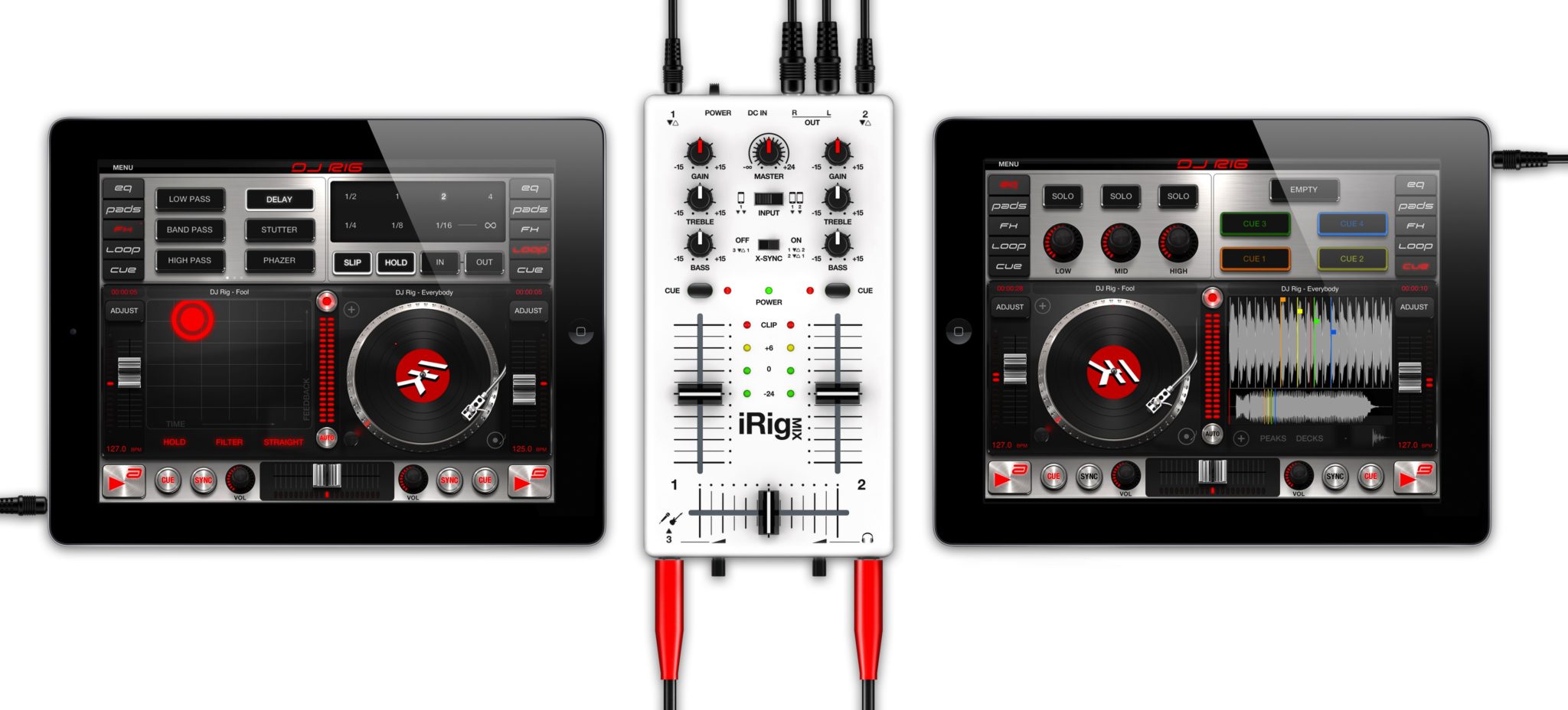
 

Central to the promise of DJ Rig is that if you comine two iPads running DJ Rig with a hardware mixer, you’ll have everything you need to run a full-fledged DJ set. That could be said of other iPad apps as well, but DJ Rig does offer a compelling and promising feature set, and IK Multimedia hopes you’ll couple it with the compact iRig Mix hardware mixer ($99.99) for a streamlined setup.
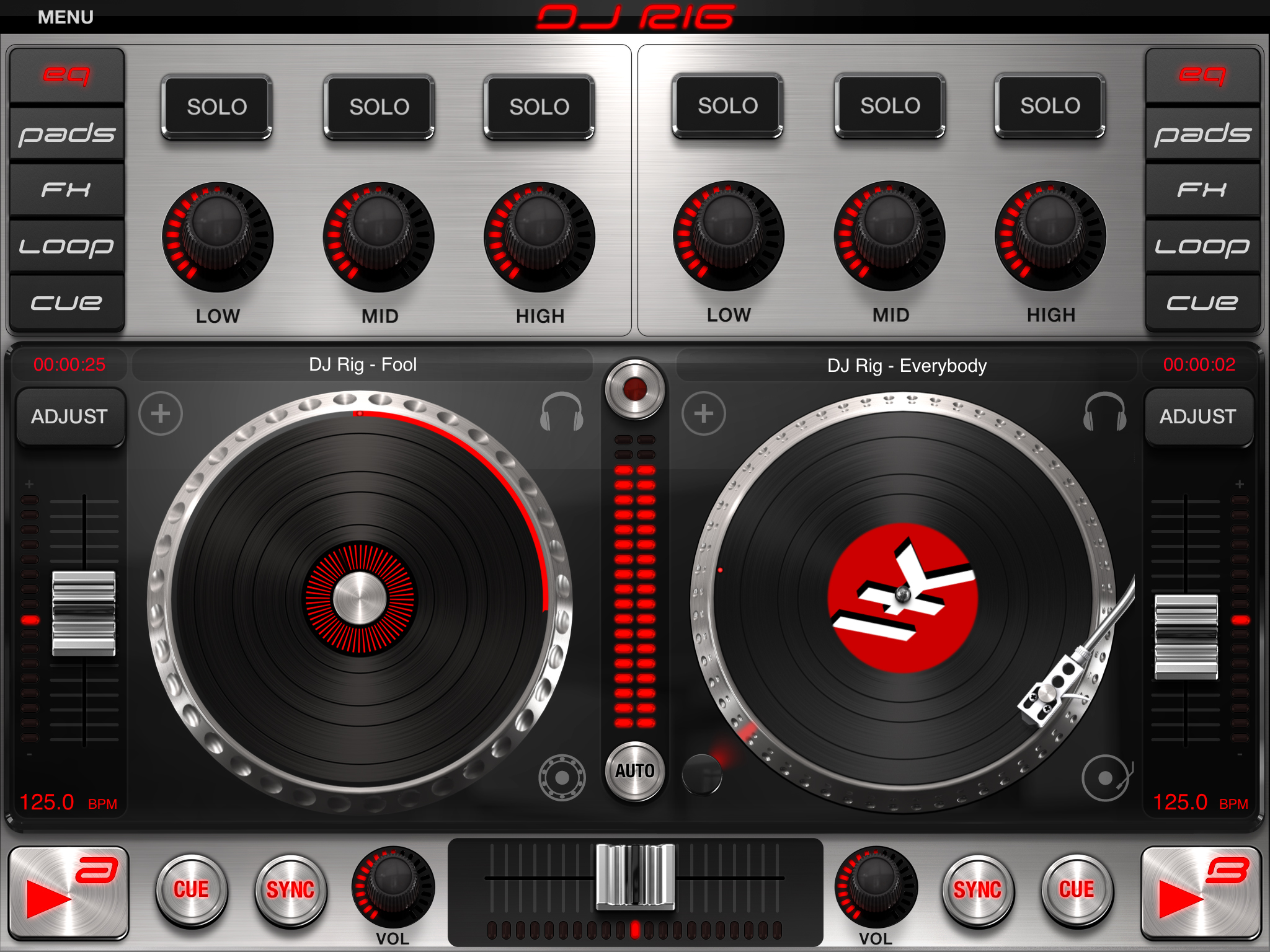
DJ Rig’s interface replicates a dual-deck hardware setup. Each deck routes to the iPad output jack (split stereo). Each deck also has three visual modes: Vinyl, with tradition scratch effects; Digital, for CD jog wheel-style control; and Waveform, which includes cue points and syncing.

As you may expect from an iPad app, DJ Rig includes an AutoMix feature that can crossfade and mix music on its own, as well as other digital mixing aids such as Beat Match, Tempo Sync, and X-Sync that help align the beats of two tracks.
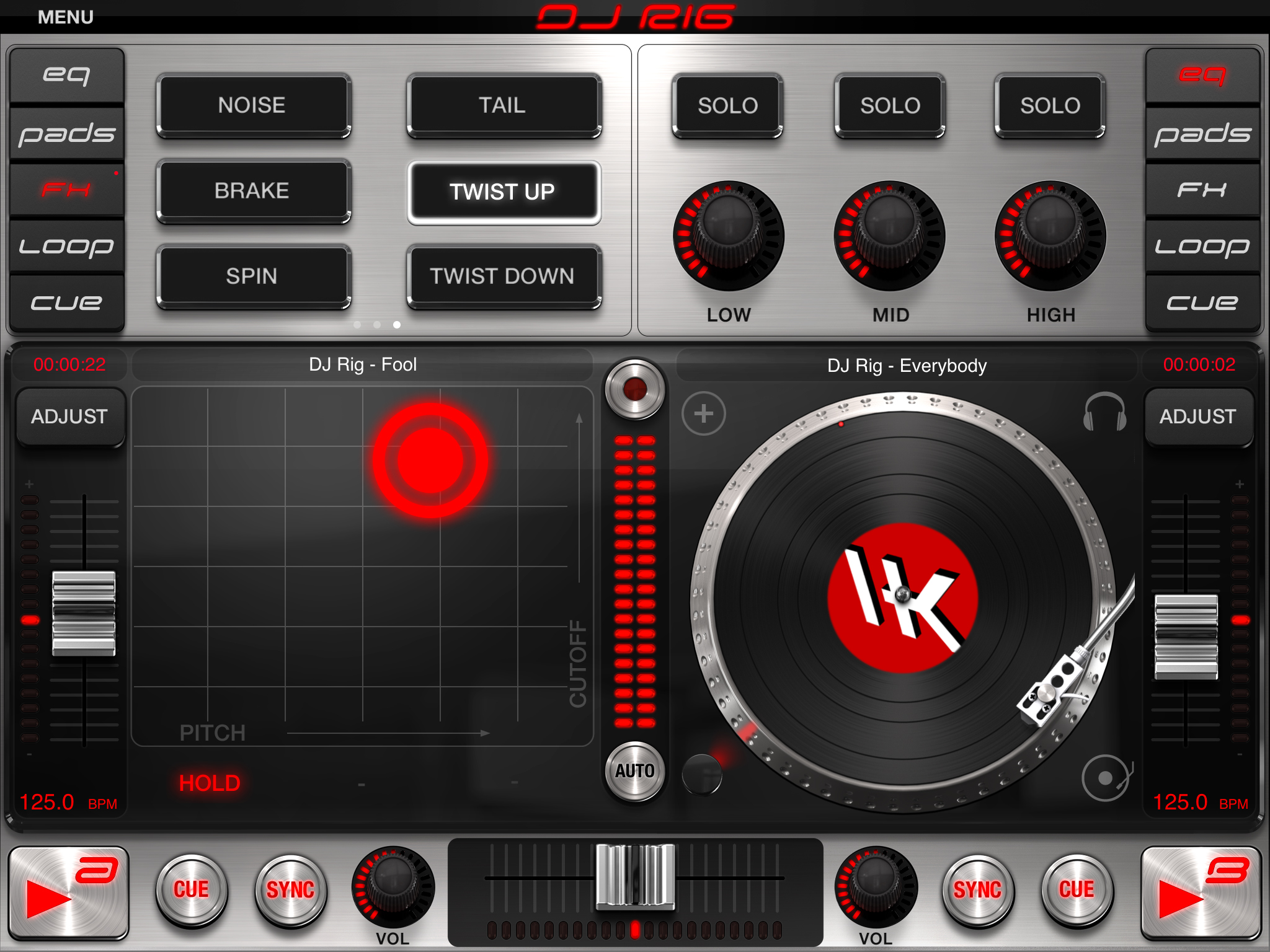
Hungry for effects? DJ Rig serves up 18 tempo-synced effects: Delay, Flanger, Crush, HP filter, LP filter, BP filter, Compressor,Wah, Phaser, Fuzz, Reverb, and Stutter, plus six that IK claims are new for this release: Noise, Tail, Brake, Spin, Twist Up, and Twist Down. You can tweak these effects til your fingers bleed with an X/Y touch interface.

The phrase sampler looks particularly cool. The 9-pad bank of samples lets you add your own sounds or grab live samples and loops from your tracks.

Curious and thrifty DJs may want to snap up DJ Rig for iPad from the App Store soon, as the $19.99 price tag is listed as “introductory.”

Check out some of the other DJ Rig for iPad features, and let us know what you think in the comments:
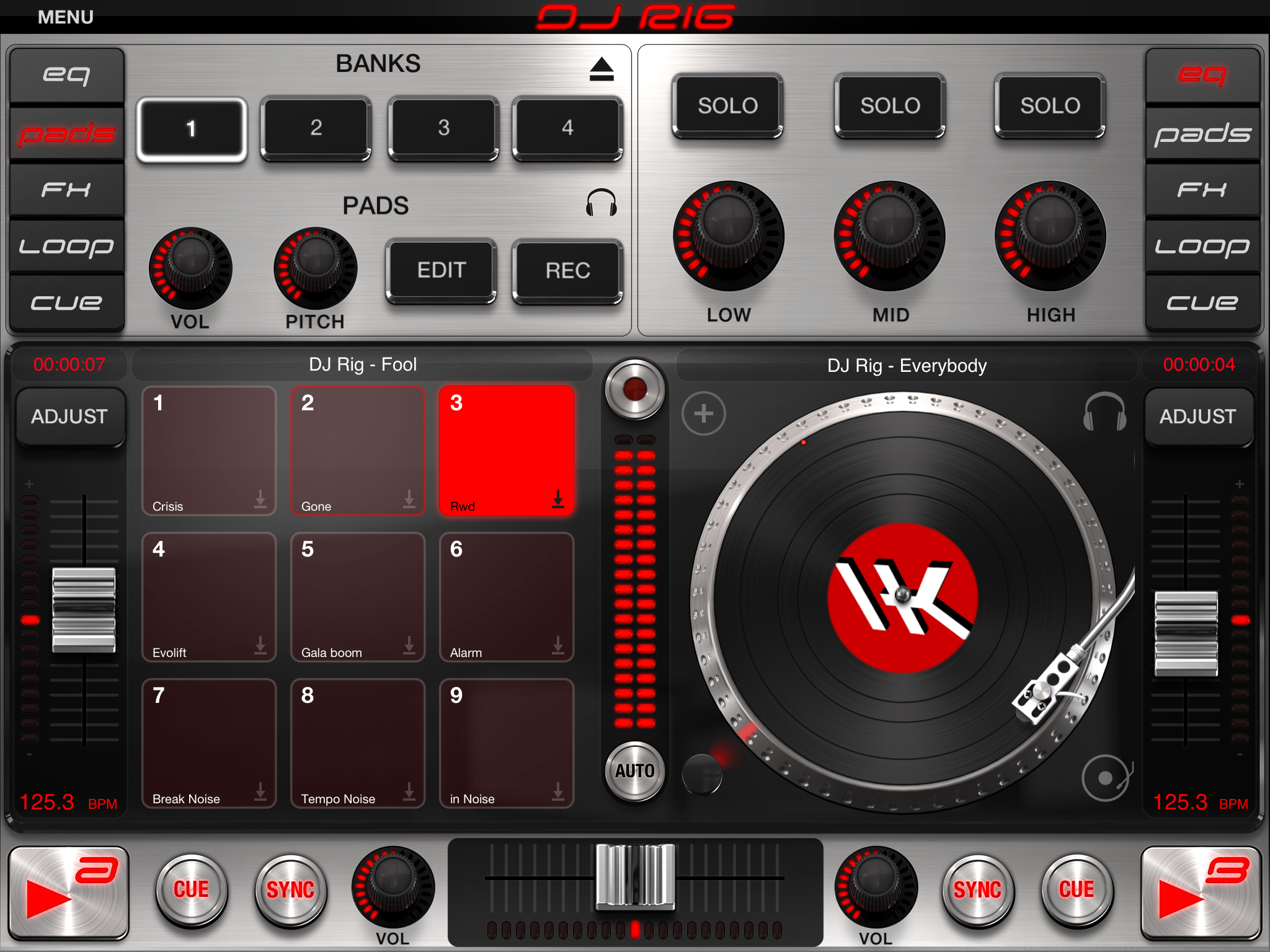
• Live sampling functionality with volume and pitch control.
• Three deck display modes:  Vinyl, Waveform, or Digital Deck.
• Digital scratching engine with CloneDeck™ technology.
• BPM detection and beat map analysis with Tempo Sync and Beat Match.
• X-Sync mode detects the BPM from external audio sources and automatically syncs the audio/tempo of internal decks to external devices (when used with iRig Mix).
• Looping section with continuous loop surface; create loops with tempo divisions always to the beat. Manual and slip mode available.
• 18 effects with X/Y touch interface control.
• On-the-fly expandable sampler machine with 9 pads and 4 banks.
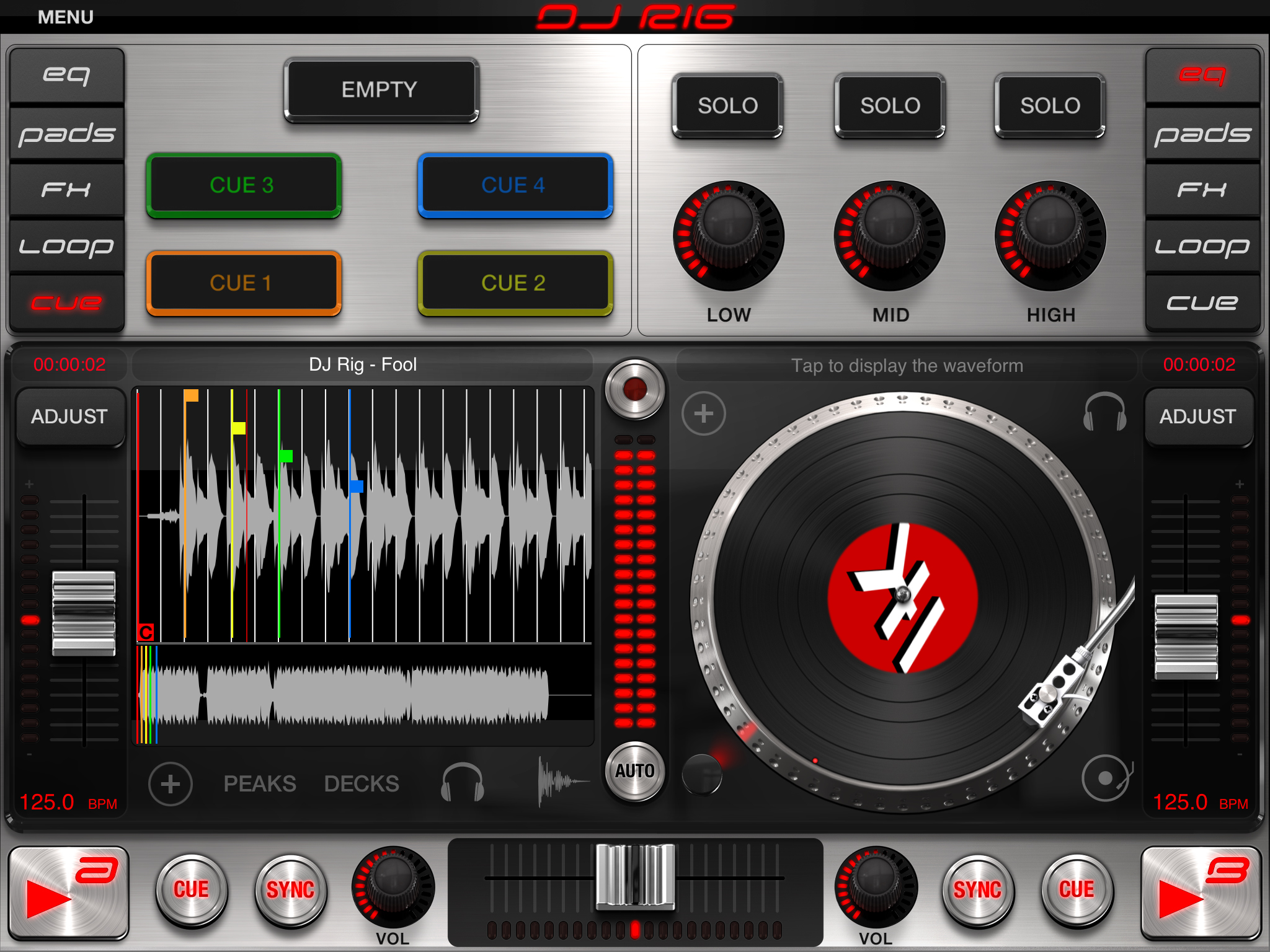
• 5 visual cue points per song and Auto Cue for automatic first-beat positioning.
• 3 crossfader curves for customizing fades and crossfade filter.
• Direct access to iPod Music library and playlists.
• AutoMix for automatic mixing of playlists or entire library.
• Live recorder allows recording of full mixing gigs.
• Supports/plays all major digital audio formats including MP3, AAC, WAV, AIFF.
• Multiple output configurations.

Stay tuned for a review of DJ Rig and iRig Mix, right here on your favorite DJ Interwebs destination. –Markkus Rovito

VIDEOS:

Mixing with DJ Rig for iPad and iRig Mix on 2 iPads
Scratching with DJ Rig for iPad and iRig MIX On 2 iPads

More videos of DJ Rig for iPad.

Tags: app storeDJ RigIK MultimediaipadIphoneiRigiRig Mix
Share3Tweet2Share
Previous Post

A DJ’s Guide to Audio Files and Bitrates

Next Post

Review: Electrix Tweaker MIDI Performance Controller

Related Posts

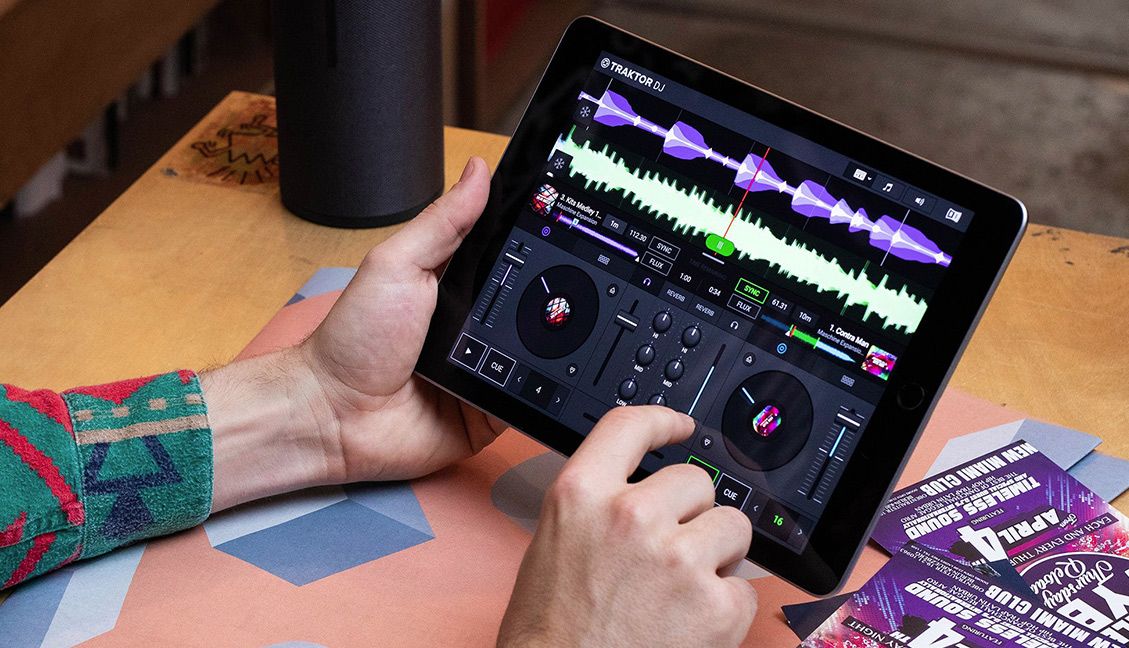
Traktor DJ 2 released today
Breaking News

Traktor DJ 2 With Soundcloud, Retina Support Out Now For Windows, Mac, iPad

May 28, 2019
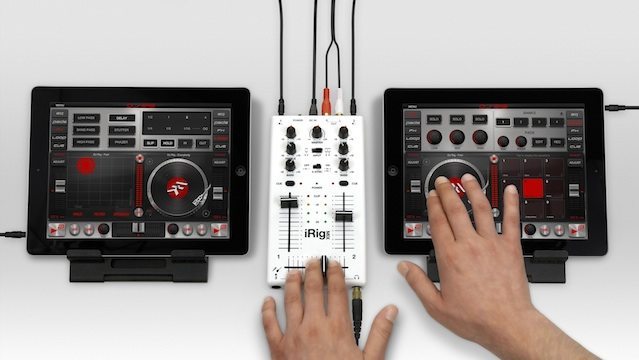
djay for iOS: Every Algoriddim App Merged Into One, Free, With Better Spotify Integration
Breaking News

djay for iOS: Every Algoriddim App Merged Into One, Free, With Better Spotify Integration

December 13, 2018
How To Use Any MIDI Controller With WeDJ + Cross DJ iOS Apps
Advanced DJ Tips

How To Use Any MIDI Controller With WeDJ + Cross DJ iOS Apps

November 29, 2017
Load More
Next Post
Review: Electrix Tweaker MIDI Performance Controller

Review: Electrix Tweaker MIDI Performance Controller

Want to reach DJTT's audience here?

Shoot an email to advertising@djtechtools.com

DJTT ads
DJTT newsletter
Midi Fighter
Chat with us
  • ABOUT DJTT
  • CONTACT
  • PRIVACY
  • MIDI FIGHTER HELP
  • ABOUT DJTT
  • JOBS
  • CONTACT US
  • ADVERTISE
  • PRIVACY POLICY
  • ACCESSIBILITY STATEMENT

© 2024 DJ Techtools all rights reserved by DJ TechTools on all content unless otherwise noted.

No Result
View All Result
  • Blog
    • DJ Gear
      • DIY Projects
      • Gear Reviews
      • New Products
      • Controllerism
    • Techniques + Tips
      • Beginner DJ
      • Advanced DJ
      • Producer
      • Finger Drummer
    • News + Culture
      • Editorials + Opinions
      • Artist Interviews
      • Performances + Routines
      • How I Play
    • DJ Software Tutorials
      • Serato Tips
      • CDJ Tips
      • Ableton Live Tips
  • Store
    • Run by real DJs, not a corporation
    • DJ Controllers
      • Midi Fighter Twister
      • Midi Fighter Spectra
      • Midi Fighter 64
      • View All
    • Accessories
      • Chroma USB Drive for DJs
      • Chroma Caps
      • Chroma Cables Audio
      • Chroma Cables USB-A
      • Chroma Cables: USB-C
      • DJTT Gift Card
      • Midi Fighter T-Shirt
      • Keyboard Covers
      • Earplugs by V-Moda
    • Production Gear
    • Soundcards & Mixers
  • Community
    • Popular Forums
      • General Discussion
      • Buy & Sell
      • Reviews
      • Mixes
      • Music Production
      • Show Your Setup
      • Off Topic
    • Handy Links
      • New Posts
      • Private Messages
      • Register
      • Search
    • Midi Maps
      • Traktor
      • Ableton
      • Serato DJ
      • Midi Fighter 3D
      • Midi Fighter Twister
      • Midi Fighter Spectra
  • Midi Fighter
  • Chroma

© 2024 DJ Techtools all rights reserved by DJ TechTools on all content unless otherwise noted.

This website uses cookies. By continuing to use this website you are giving consent to cookies being used. Visit our Privacy and Cookie Policy.