DJ TechTools
  • Blog
    • DJ Gear
      • DIY Projects
      • Gear Reviews
      • New Products
      • Controllerism
    • Techniques + Tips
      • Beginner DJ
      • Advanced DJ
      • Producer
      • Finger Drummer
    • News + Culture
      • Editorials + Opinions
      • Artist Interviews
      • Performances + Routines
      • How I Play
    • DJ Software Tutorials
      • Serato Tips
        • Traktor Tips
      • CDJ Tips
      • Ableton Live Tips
  • Store
    • Run by real DJs, not a corporation
    • DJ Controllers
      • Midi Fighter Twister
      • Midi Fighter Spectra
      • Midi Fighter 64
      • View All
    • Accessories
      • Chroma USB Drive for DJs
      • Chroma Caps
      • Chroma Cables Audio
      • Chroma Cables USB-A
      • Chroma Cables: USB-C
      • DJTT Gift Card
      • Midi Fighter T-Shirt
      • Keyboard Covers
      • Earplugs by V-Moda
    • Production Gear
    • Soundcards & Mixers
  • Community
    • Popular Forums
      • General Discussion
      • Buy & Sell
      • Reviews
      • Mixes
      • Music Production
      • Show Your Setup
      • Off Topic
    • Handy Links
      • New Posts
      • Private Messages
      • Register
      • Search
    • Midi Maps
      • Traktor
      • Ableton
      • Serato DJ
      • Midi Fighter 3D
      • Midi Fighter Twister
      • Midi Fighter Spectra
  • Midi Fighter
  • Chroma
No Result
View All Result
DJ TechTools
  • Blog
    • DJ Gear
      • DIY Projects
      • Gear Reviews
      • New Products
      • Controllerism
    • Techniques + Tips
      • Beginner DJ
      • Advanced DJ
      • Producer
      • Finger Drummer
    • News + Culture
      • Editorials + Opinions
      • Artist Interviews
      • Performances + Routines
      • How I Play
    • DJ Software Tutorials
      • Serato Tips
        • Traktor Tips
      • CDJ Tips
      • Ableton Live Tips
  • Store
    • Run by real DJs, not a corporation
    • DJ Controllers
      • Midi Fighter Twister
      • Midi Fighter Spectra
      • Midi Fighter 64
      • View All
    • Accessories
      • Chroma USB Drive for DJs
      • Chroma Caps
      • Chroma Cables Audio
      • Chroma Cables USB-A
      • Chroma Cables: USB-C
      • DJTT Gift Card
      • Midi Fighter T-Shirt
      • Keyboard Covers
      • Earplugs by V-Moda
    • Production Gear
    • Soundcards & Mixers
  • Community
    • Popular Forums
      • General Discussion
      • Buy & Sell
      • Reviews
      • Mixes
      • Music Production
      • Show Your Setup
      • Off Topic
    • Handy Links
      • New Posts
      • Private Messages
      • Register
      • Search
    • Midi Maps
      • Traktor
      • Ableton
      • Serato DJ
      • Midi Fighter 3D
      • Midi Fighter Twister
      • Midi Fighter Spectra
  • Midi Fighter
  • Chroma
No Result
View All Result
DJ TechTools

Reloop’s Tape: Official Details Emerge

Dan White by Dan White
October 15, 2012
in Breaking News, DJ Gear Announcements, News, News + Culture
Reading Time: 2 mins read
0
Reloop’s Tape: Official Details Emerge
332
VIEWS
Post on FacebookTweet thisUpvote on Reddit

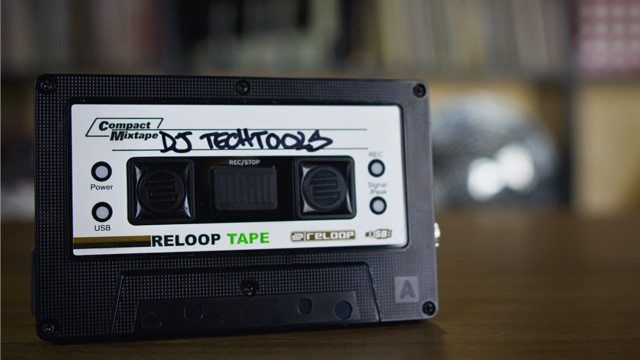
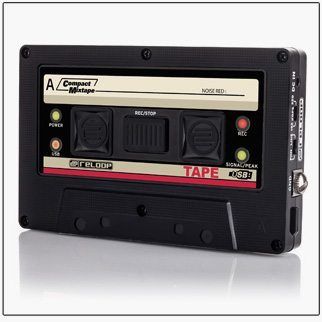
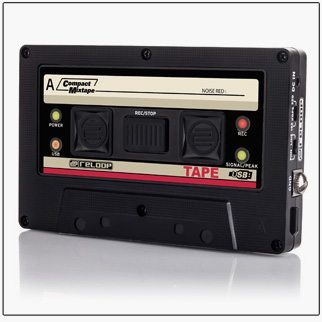
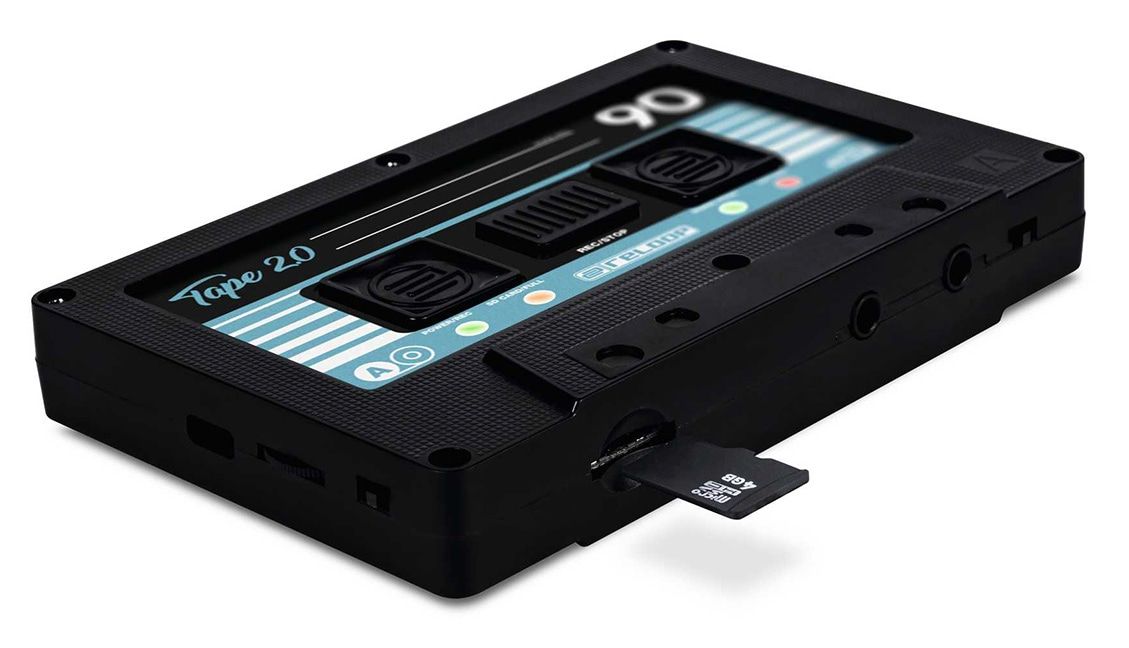
If you made it to the BPM show earlier this month, you might have seen Reloop’s new mix recording kit, a simple USB-drive based recording interface that allows for really simple recording of DJ sets. Reloop showed off the basic concept last week, but now we’ve finally got the official technical specifications and feature lists that we all crave.

The Tape is essentially a sound card – you’ll have to supply your own USB keydrive or external hard drive to record onto, plug it into the device, and press record. There’s switch that allows the user to toggle between 320kbps and 128kbps recordings, and a phono/line switch complete with a grounding post to make a direct recordings from vinyl also possible.

Additionally, if your mixer only has one output available, the Tape can pass the master signal through – recording the mix and passing the audio along to the speakers or amplifier.

First impressions are this little guy might be a great addition to a lot of DJ’s bags, especially if you’re in the habit of recording every single mix. The Reloop Tape is set to be in stores in January 2013, and Reloop has confirmed the price to be $129 at MSRP.
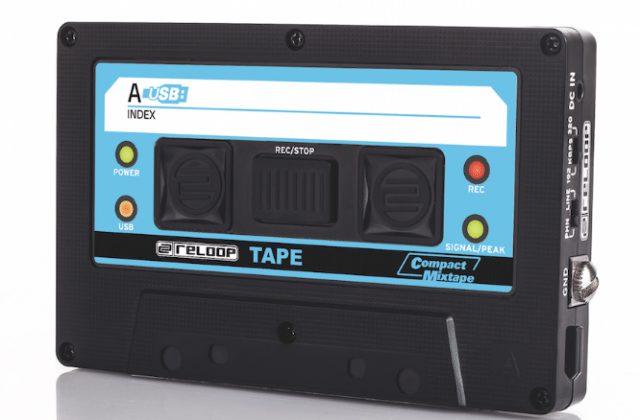
Here’s the full feature list and tech specs from Reloop’s press release:

features:

  • USB mixtape recorder with retro tape look
  • Direct recording of mix sets on USB sticks or external USB hard drives
  • Connection of line and phono sources (e.g. mixer or turntable)
  • Easy operation without complicated settings for secure recordings, even in dark surroundings
  • Can also be used for converting analogue vinyl into digital format, with a dedicated turntable grounding post-
  • Direct recording as MP3 files on a USB storage device; no computer necessary
  • 3,5mm stereo jack input (including appropriate RCA-to-stereo jack cable and turntable
  • grounding)
  • Hi-speed USB port (for USB stick or external USB hard drive)
  • Switchable recording quality (192kbit/320kbit)
  • Numerous status LEDs (power, USB, record, signal/peak)
  • 3,5mm thru connection for signal routing; convenient for when the mixer does not have a recordout connection
  • Various design sticker sets available
  • Mains connection (mains adapter included)

technical datas:

  • Input: 1 x phono/line 3,5mm stereo jack
  • Output: 1 x line 3,5 mm stereo jack (thru port)
  • USB port for sticks and external hard drives
  • Grounding: GND screw
  • Dimensions: 103 x 14 x 65mm
  • Weight: 59 g
  • Incl. RCA-to-stereo jack (3,5mm) recording cable with grounding, mains adapter and 3 design sticker sets available for retro look
 

Tags: dj mix recordermix recordingreloop tape
Share3Tweet2Share
Previous Post

Kontrol Z2 Innofaders: The Inside Scoop

Next Post

Video: DJ Isolator Tips by DJ Shorty

Related Posts

Reloop Tape 2: The Return Of A Retro-Styled DJ Set Recorder
DJ Gear Announcements

Reloop Tape 2: The Return Of A Retro-Styled DJ Set Recorder

September 18, 2018
Reloop Tape Review: DJ Set Recorder
DJ Equipment / Accessories

Reloop Tape Review: DJ Set Recorder

February 6, 2013
Load More
Next Post

Video: DJ Isolator Tips by DJ Shorty

Want to reach DJTT's audience here?

Shoot an email to advertising@djtechtools.com

DJTT ads
DJTT newsletter
Midi Fighter
Chat with us
  • ABOUT DJTT
  • CONTACT
  • PRIVACY
  • MIDI FIGHTER HELP
  • ABOUT DJTT
  • JOBS
  • CONTACT US
  • ADVERTISE
  • PRIVACY POLICY
  • ACCESSIBILITY STATEMENT

© 2024 DJ Techtools all rights reserved by DJ TechTools on all content unless otherwise noted.

No Result
View All Result
  • Blog
    • DJ Gear
      • DIY Projects
      • Gear Reviews
      • New Products
      • Controllerism
    • Techniques + Tips
      • Beginner DJ
      • Advanced DJ
      • Producer
      • Finger Drummer
    • News + Culture
      • Editorials + Opinions
      • Artist Interviews
      • Performances + Routines
      • How I Play
    • DJ Software Tutorials
      • Serato Tips
      • CDJ Tips
      • Ableton Live Tips
  • Store
    • Run by real DJs, not a corporation
    • DJ Controllers
      • Midi Fighter Twister
      • Midi Fighter Spectra
      • Midi Fighter 64
      • View All
    • Accessories
      • Chroma USB Drive for DJs
      • Chroma Caps
      • Chroma Cables Audio
      • Chroma Cables USB-A
      • Chroma Cables: USB-C
      • DJTT Gift Card
      • Midi Fighter T-Shirt
      • Keyboard Covers
      • Earplugs by V-Moda
    • Production Gear
    • Soundcards & Mixers
  • Community
    • Popular Forums
      • General Discussion
      • Buy & Sell
      • Reviews
      • Mixes
      • Music Production
      • Show Your Setup
      • Off Topic
    • Handy Links
      • New Posts
      • Private Messages
      • Register
      • Search
    • Midi Maps
      • Traktor
      • Ableton
      • Serato DJ
      • Midi Fighter 3D
      • Midi Fighter Twister
      • Midi Fighter Spectra
  • Midi Fighter
  • Chroma

© 2024 DJ Techtools all rights reserved by DJ TechTools on all content unless otherwise noted.

This website uses cookies. By continuing to use this website you are giving consent to cookies being used. Visit our Privacy and Cookie Policy.