DJ TechTools
  • Blog
    • DJ Gear
      • DIY Projects
      • Gear Reviews
      • New Products
      • Controllerism
    • Techniques + Tips
      • Beginner DJ
      • Advanced DJ
      • Producer
      • Finger Drummer
    • News + Culture
      • Editorials + Opinions
      • Artist Interviews
      • Performances + Routines
      • How I Play
    • DJ Software Tutorials
      • Serato Tips
        • Traktor Tips
      • CDJ Tips
      • Ableton Live Tips
  • Store
    • Run by real DJs, not a corporation
    • DJ Controllers
      • Midi Fighter Twister
      • Midi Fighter Spectra
      • Midi Fighter 64
      • View All
    • Accessories
      • Chroma USB Drive for DJs
      • Chroma Caps
      • Chroma Cables Audio
      • Chroma Cables USB-A
      • Chroma Cables: USB-C
      • DJTT Gift Card
      • Midi Fighter T-Shirt
      • Keyboard Covers
      • Earplugs by V-Moda
    • Production Gear
    • Soundcards & Mixers
  • Community
    • Popular Forums
      • General Discussion
      • Buy & Sell
      • Reviews
      • Mixes
      • Music Production
      • Show Your Setup
      • Off Topic
    • Handy Links
      • New Posts
      • Private Messages
      • Register
      • Search
    • Midi Maps
      • Traktor
      • Ableton
      • Serato DJ
      • Midi Fighter 3D
      • Midi Fighter Twister
      • Midi Fighter Spectra
  • Midi Fighter
  • Chroma
No Result
View All Result
DJ TechTools
  • Blog
    • DJ Gear
      • DIY Projects
      • Gear Reviews
      • New Products
      • Controllerism
    • Techniques + Tips
      • Beginner DJ
      • Advanced DJ
      • Producer
      • Finger Drummer
    • News + Culture
      • Editorials + Opinions
      • Artist Interviews
      • Performances + Routines
      • How I Play
    • DJ Software Tutorials
      • Serato Tips
        • Traktor Tips
      • CDJ Tips
      • Ableton Live Tips
  • Store
    • Run by real DJs, not a corporation
    • DJ Controllers
      • Midi Fighter Twister
      • Midi Fighter Spectra
      • Midi Fighter 64
      • View All
    • Accessories
      • Chroma USB Drive for DJs
      • Chroma Caps
      • Chroma Cables Audio
      • Chroma Cables USB-A
      • Chroma Cables: USB-C
      • DJTT Gift Card
      • Midi Fighter T-Shirt
      • Keyboard Covers
      • Earplugs by V-Moda
    • Production Gear
    • Soundcards & Mixers
  • Community
    • Popular Forums
      • General Discussion
      • Buy & Sell
      • Reviews
      • Mixes
      • Music Production
      • Show Your Setup
      • Off Topic
    • Handy Links
      • New Posts
      • Private Messages
      • Register
      • Search
    • Midi Maps
      • Traktor
      • Ableton
      • Serato DJ
      • Midi Fighter 3D
      • Midi Fighter Twister
      • Midi Fighter Spectra
  • Midi Fighter
  • Chroma
No Result
View All Result
DJ TechTools

Mixcloud Introduces Pro Accounts: Advanced Mix Analytics

Dean Zulueta by Dean Zulueta
August 20, 2014
in Breaking News, DJ Internet Tools
Reading Time: 3 mins read
0
Mixcloud Offers Pro Account with Analytics, Engagement, and Content Control
46
VIEWS
Post on FacebookTweet thisUpvote on Reddit

Mixcloud is one of the main alternatives to Soundcloud, especially when it comes to uploading DJ mixes. Ever since the hammer came down from Soundcloud this summer, there has been a conquest to find a new home for those special mixes DJs want to share.  Yesterday, Mixcloud announced that they are adding to their platform for DJs by offering Pro and Premium subscription accounts for both listeners and content uploaders. Read below about Mixcloud’s Pro and Premium accounts with advanced analytics, comment control, and more.
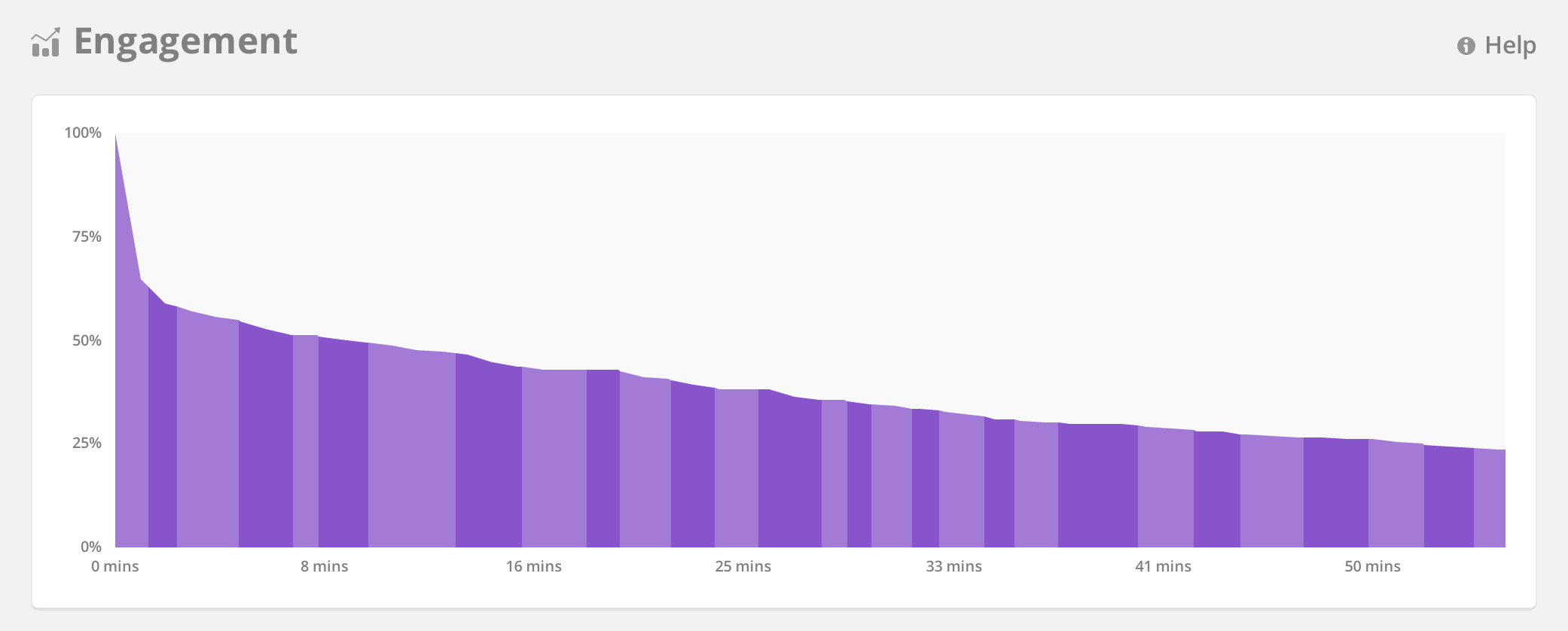
Mixcloud Pro offers DJs Analytics, Content Control, and Engagement Feedback
“Upgrading to the new PRO account will give DJs and radio presenters access to a sophisticated analytics dashboard showing a breakdown of their audience size, source and location.” – Mixcloud

For the DJ

The Mixcloud Pro account is similar to Soundcloud’s current pro plan. With Mixcloud’s Pro account, content uploaders can expect to have an analytics dashboard showing demographics from their audience. A DJ can see everything from the size of the audience, the source, and even their audience’s location.

Pro uploaders will also receive more publishing tools, like comment control and the ability to schedule uploads.

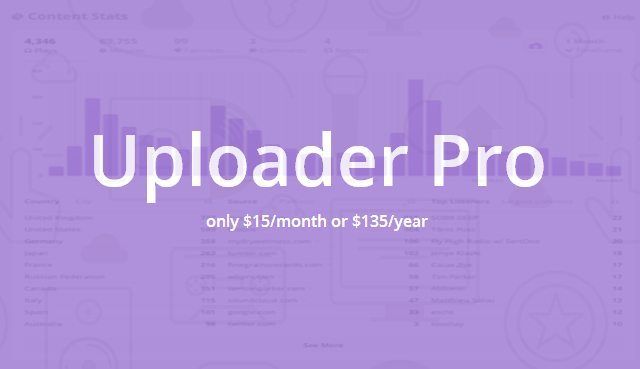
What separates Mixcloud from other platforms is their listener reports. The “engagement graphs” provide valuable information to DJs by showing them where the listeners stop listening to a mix. Now, just because a listeners drops off after fifteen minutes that doesn’t mean the mix isn’t good, however, this can be useful if a DJ has hundreds or thousands of listeners and a majority drop off at a certain time. These graphs will allow the DJ to go back and see what works or doesn’t work. (With these graphs you can also see what social media platforms drive the number of listens.) A pro account on Mixcloud will run you $15 per month or $135 per year.
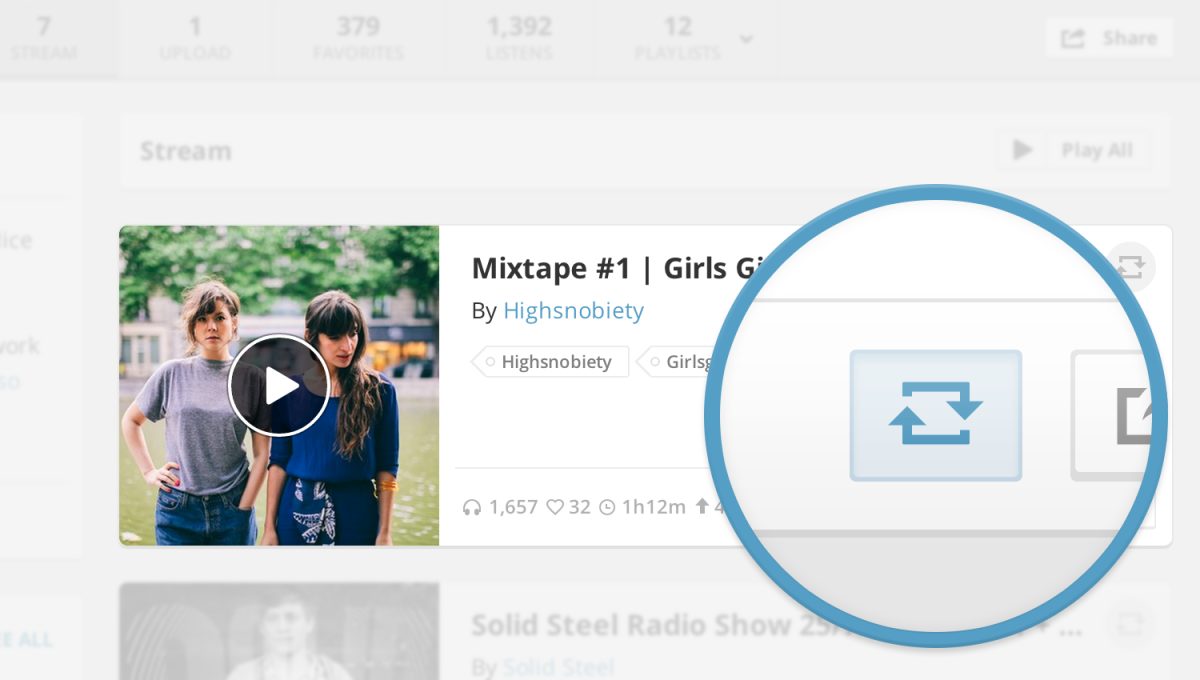
Mixclouds Repost feature creates a better alternative to upload mixes instead of using Soundcloud
“Inspired by the concept of ‘Retweets’ and ‘Reblogs’ on Twitter and Tumblr, we’ve just launched a new ‘Repost’ feature for Mixcloud. As an example, radio presenters can Repost their individual shows from their respective radio station’s channel.” – Mixcloud Founder Mat Clayton

For the Listeners

Most DJTT readers probably would rather go for the Pro account for content creators but the Premium account for listeners is worth noting. One big reason mixes get taken down constantly from Soundcloud and YouTube is because of the copyright fiasco that is created whenever anything is uploaded online that is not straight from the content creators.

A listener Pro account listeners the opportunity to give more support to the original artists included in the mixes they listen to. The listener also gets an ad-free listening experience. Even though DJ mixes are a cluttered mess of copyright issues, Mixcloud still finds a way to ensure everyone is getting paid something. The Premium account is available for $6.99 per month or $69.99 per year.

Is Mixcloud Pro for you?

Mixcloud continues to be one of the best websites for DJs to upload mixes (you can read more about other options here). What makes Mixcloud Pro stand out is the amount of insights they provide to better understand who your audience really is.

By knowing where the audience lives, how they listen, and what parts of the mix they listen to, a DJ can create the next mix that caters even more to their listeners. The price isn’t bad either ($135 a year) but you may only want to consider paying the subscription fee if you are uploading content regularly. Click here to learn more about Mixcloud Pro and take a demo of the new subscription.

Would you consider paying for Pro account? What features do you want from a content hosting service like Mixcloud?

Tags: dj mixesmix analyticsmixcloudmixcloud proprorepost
ShareTweetShare
Previous Post

Quick Tip: Harmonic Mixing on Pioneer CDJs

Next Post

Soundcloud Premium: Ad-Revenue for Content Creators

Related Posts

Mixcloud launches Tracks for producers to upload original music
News

Mixcloud launches Tracks for producers to upload original music

October 18, 2022
Beatsource + Mixcloud team up so you can record & share DJ sets online sans takedowns
DJ Software Tips

Beatsource + Mixcloud team up so you can record & share DJ sets online sans takedowns

September 15, 2021
Mixcloud founder: here’s what DJs need to know about music copyright
Editorials and Opinions

Mixcloud founder: here’s what DJs need to know about music copyright

November 18, 2020
Load More
Next Post
Soundcloud Premium: Ad-Revenue for Content Creators

Soundcloud Premium: Ad-Revenue for Content Creators

Want to reach DJTT's audience here?

Shoot an email to advertising@djtechtools.com

DJTT ads
DJTT newsletter
Midi Fighter
Chat with us
  • ABOUT DJTT
  • CONTACT
  • PRIVACY
  • MIDI FIGHTER HELP
  • ABOUT DJTT
  • JOBS
  • CONTACT US
  • ADVERTISE
  • PRIVACY POLICY
  • ACCESSIBILITY STATEMENT

© 2024 DJ Techtools all rights reserved by DJ TechTools on all content unless otherwise noted.

No Result
View All Result
  • Blog
    • DJ Gear
      • DIY Projects
      • Gear Reviews
      • New Products
      • Controllerism
    • Techniques + Tips
      • Beginner DJ
      • Advanced DJ
      • Producer
      • Finger Drummer
    • News + Culture
      • Editorials + Opinions
      • Artist Interviews
      • Performances + Routines
      • How I Play
    • DJ Software Tutorials
      • Serato Tips
      • CDJ Tips
      • Ableton Live Tips
  • Store
    • Run by real DJs, not a corporation
    • DJ Controllers
      • Midi Fighter Twister
      • Midi Fighter Spectra
      • Midi Fighter 64
      • View All
    • Accessories
      • Chroma USB Drive for DJs
      • Chroma Caps
      • Chroma Cables Audio
      • Chroma Cables USB-A
      • Chroma Cables: USB-C
      • DJTT Gift Card
      • Midi Fighter T-Shirt
      • Keyboard Covers
      • Earplugs by V-Moda
    • Production Gear
    • Soundcards & Mixers
  • Community
    • Popular Forums
      • General Discussion
      • Buy & Sell
      • Reviews
      • Mixes
      • Music Production
      • Show Your Setup
      • Off Topic
    • Handy Links
      • New Posts
      • Private Messages
      • Register
      • Search
    • Midi Maps
      • Traktor
      • Ableton
      • Serato DJ
      • Midi Fighter 3D
      • Midi Fighter Twister
      • Midi Fighter Spectra
  • Midi Fighter
  • Chroma

© 2024 DJ Techtools all rights reserved by DJ TechTools on all content unless otherwise noted.

This website uses cookies. By continuing to use this website you are giving consent to cookies being used. Visit our Privacy and Cookie Policy.