DJ TechTools
  • Blog
    • DJ Gear
      • DIY Projects
      • Gear Reviews
      • New Products
      • Controllerism
    • Techniques + Tips
      • Beginner DJ
      • Advanced DJ
      • Producer
      • Finger Drummer
    • News + Culture
      • Editorials + Opinions
      • Artist Interviews
      • Performances + Routines
      • How I Play
    • DJ Software Tutorials
      • Serato Tips
        • Traktor Tips
      • CDJ Tips
      • Ableton Live Tips
  • Store
    • Run by real DJs, not a corporation
    • DJ Controllers
      • Midi Fighter Twister
      • Midi Fighter Spectra
      • Midi Fighter 64
      • View All
    • Accessories
      • Chroma USB Drive for DJs
      • Chroma Caps
      • Chroma Cables Audio
      • Chroma Cables USB-A
      • Chroma Cables: USB-C
      • DJTT Gift Card
      • Midi Fighter T-Shirt
      • Keyboard Covers
      • Earplugs by V-Moda
    • Production Gear
    • Soundcards & Mixers
  • Community
    • Popular Forums
      • General Discussion
      • Buy & Sell
      • Reviews
      • Mixes
      • Music Production
      • Show Your Setup
      • Off Topic
    • Handy Links
      • New Posts
      • Private Messages
      • Register
      • Search
    • Midi Maps
      • Traktor
      • Ableton
      • Serato DJ
      • Midi Fighter 3D
      • Midi Fighter Twister
      • Midi Fighter Spectra
  • Midi Fighter
  • Chroma
No Result
View All Result
DJ TechTools
  • Blog
    • DJ Gear
      • DIY Projects
      • Gear Reviews
      • New Products
      • Controllerism
    • Techniques + Tips
      • Beginner DJ
      • Advanced DJ
      • Producer
      • Finger Drummer
    • News + Culture
      • Editorials + Opinions
      • Artist Interviews
      • Performances + Routines
      • How I Play
    • DJ Software Tutorials
      • Serato Tips
        • Traktor Tips
      • CDJ Tips
      • Ableton Live Tips
  • Store
    • Run by real DJs, not a corporation
    • DJ Controllers
      • Midi Fighter Twister
      • Midi Fighter Spectra
      • Midi Fighter 64
      • View All
    • Accessories
      • Chroma USB Drive for DJs
      • Chroma Caps
      • Chroma Cables Audio
      • Chroma Cables USB-A
      • Chroma Cables: USB-C
      • DJTT Gift Card
      • Midi Fighter T-Shirt
      • Keyboard Covers
      • Earplugs by V-Moda
    • Production Gear
    • Soundcards & Mixers
  • Community
    • Popular Forums
      • General Discussion
      • Buy & Sell
      • Reviews
      • Mixes
      • Music Production
      • Show Your Setup
      • Off Topic
    • Handy Links
      • New Posts
      • Private Messages
      • Register
      • Search
    • Midi Maps
      • Traktor
      • Ableton
      • Serato DJ
      • Midi Fighter 3D
      • Midi Fighter Twister
      • Midi Fighter Spectra
  • Midi Fighter
  • Chroma
No Result
View All Result
DJ TechTools

“No Wrong Notes” Is that a good thing?

Ean Golden by Ean Golden
October 31, 2014
in Editorials and Opinions, Production Tips
Reading Time: 3 mins read
0
“No Wrong Notes” Is that a good thing?
107
VIEWS
Post on FacebookTweet thisUpvote on Reddit

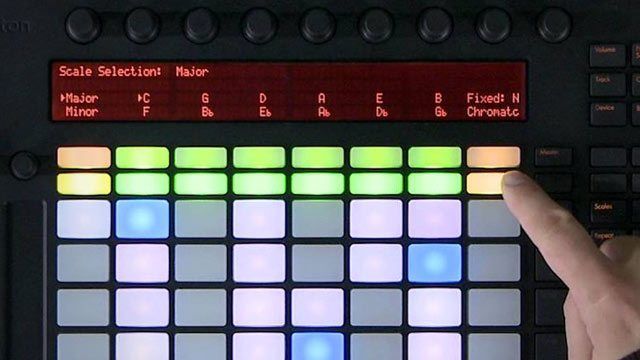
One of the most popular features of the Ableton Push is its “scale” functionality that places all the right notes in a chosen key across the grid of buttons. This makes it incredibly easy for anyone to play chords, melodies and progressions without any music theory experience. The new Kontrol S series of keyboards from NI also unlocks countless scales and modalities for beginners unfamiliar with note structures on a traditional keyboard. At first glance, this appears to be welcome progress – but when you take away all the “wrong notes”, have you also stripped away the magic of possibility?

First, a basic primer on music theory to bring everyone up to speed:

The traditional keyboard contains all possible notes in the Western scale – there are 12 notes in an octave. However, most songs are in a single key, which contains 7 of those notes. This key is their “sonic flavor” and create a relative pallet which lends each key its own unique feeling. If you are playing in one key, dropping notes that don’t traditionally belong to the group usually sounds “bad” and are avoided – except in jazz (more on that later).

When writing songs on a keyboard, a lot of time is spent figuring out the correct scales and notes to play, and which ones to avoid.  Naturally, technology companies made the logical leap: why not take away the notes that you don’t need?

THE “RIGHT” NOTES

In jazz music, there are no “wrong” notes and it’s usually off-color chord combinations that provide this divisive genre with its dissonant-yet-funky energy. Not just exclusive to trios, blues and even rock and roll find new moody pallets by mixing up notes and keys to cut through the noise and convey emotion. In this amazing video, jazz band leader Stefon Harris demonstrates how there truly are no wrong notes, just missed opportunities.

If you have followed me this far, then let’s leap a bit further into the cave of possibility. Writing music is all about discovery and listening, some of the best moments are very happy accidents that just work. We don’t know how or why, but MAN – that chord sounds so cool, play it again! If you are writing music on an instrument which has removed all possibility for error, has it not also killed all the opportunity for discovery, for accidents, for funk?

THE EVOLUTION OF THINGS

Ok, bear with me now as we put on the spelunking gear and launch even deeper still down the rabbit hole. Evolution, or natural selection is a result of happy accidents – “wrong” things end up working better than the “normal” behavior and so that variation sticks – eventually becoming the norm until some new accident improves on the idea. We will avoid going into a full-blown explanation of natural selection on a DJ blog (watch Carl Sagan’s explanation instead here), but there is a connection. If we eliminate all possibility for accidents then how can our sounds evolve and change over time.

Auto scale mode might be amazing for finding a melody quickly but it probably is not the best song writing tool for standing out. Instead I suggest you sit down at a piano and play some random chords without much intention or idea what is even happening. Chances are some random combination will be the most interesting thing you have written all day.

Tags: Ableton Pushin keyjazzmusic theoryscale selectionscalesstefon harriswrong notes
Share1Tweet1Share
Previous Post

Introducing Auxy – Essential Music making on the Ipad

Next Post

Kontrol S8 Officially In Stores + Bonus Effects Tutorial

Related Posts

Akai pro Force hero
Breaking News

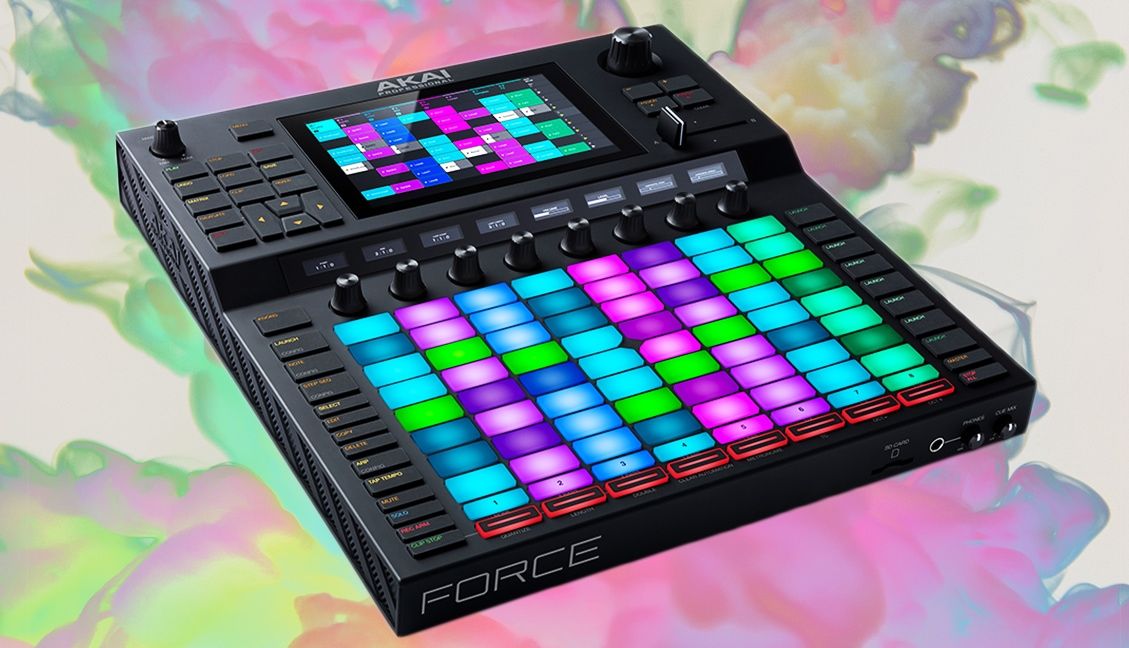
Akai Pro Force: A Standalone “Ableton-Style” Production Unit

January 17, 2019
Adding A Drum Pad To Your DJ Setup
Controllerism

Adding A Drum Pad To Your DJ Setup

January 3, 2018
Routine: John Type’s MidiTablism
Controllerism

Routine: John Type’s MidiTablism

August 15, 2017
Load More
Next Post
Kontrol S8 Officially In Stores + Bonus Effects Tutorial

Kontrol S8 Officially In Stores + Bonus Effects Tutorial

Want to reach DJTT's audience here?

Shoot an email to advertising@djtechtools.com

DJTT ads
DJTT newsletter
Midi Fighter
Chat with us
  • ABOUT DJTT
  • CONTACT
  • PRIVACY
  • MIDI FIGHTER HELP
  • ABOUT DJTT
  • JOBS
  • CONTACT US
  • ADVERTISE
  • PRIVACY POLICY
  • ACCESSIBILITY STATEMENT

© 2024 DJ Techtools all rights reserved by DJ TechTools on all content unless otherwise noted.

No Result
View All Result
  • Blog
    • DJ Gear
      • DIY Projects
      • Gear Reviews
      • New Products
      • Controllerism
    • Techniques + Tips
      • Beginner DJ
      • Advanced DJ
      • Producer
      • Finger Drummer
    • News + Culture
      • Editorials + Opinions
      • Artist Interviews
      • Performances + Routines
      • How I Play
    • DJ Software Tutorials
      • Serato Tips
      • CDJ Tips
      • Ableton Live Tips
  • Store
    • Run by real DJs, not a corporation
    • DJ Controllers
      • Midi Fighter Twister
      • Midi Fighter Spectra
      • Midi Fighter 64
      • View All
    • Accessories
      • Chroma USB Drive for DJs
      • Chroma Caps
      • Chroma Cables Audio
      • Chroma Cables USB-A
      • Chroma Cables: USB-C
      • DJTT Gift Card
      • Midi Fighter T-Shirt
      • Keyboard Covers
      • Earplugs by V-Moda
    • Production Gear
    • Soundcards & Mixers
  • Community
    • Popular Forums
      • General Discussion
      • Buy & Sell
      • Reviews
      • Mixes
      • Music Production
      • Show Your Setup
      • Off Topic
    • Handy Links
      • New Posts
      • Private Messages
      • Register
      • Search
    • Midi Maps
      • Traktor
      • Ableton
      • Serato DJ
      • Midi Fighter 3D
      • Midi Fighter Twister
      • Midi Fighter Spectra
  • Midi Fighter
  • Chroma

© 2024 DJ Techtools all rights reserved by DJ TechTools on all content unless otherwise noted.

This website uses cookies. By continuing to use this website you are giving consent to cookies being used. Visit our Privacy and Cookie Policy.