DJ TechTools
  • Blog
    • DJ Gear
      • DIY Projects
      • Gear Reviews
      • New Products
      • Controllerism
    • Techniques + Tips
      • Beginner DJ
      • Advanced DJ
      • Producer
      • Finger Drummer
    • News + Culture
      • Editorials + Opinions
      • Artist Interviews
      • Performances + Routines
      • How I Play
    • DJ Software Tutorials
      • Serato Tips
        • Traktor Tips
      • CDJ Tips
      • Ableton Live Tips
  • Store
    • Run by real DJs, not a corporation
    • DJ Controllers
      • Midi Fighter Twister
      • Midi Fighter Spectra
      • Midi Fighter 64
      • View All
    • Accessories
      • Chroma USB Drive for DJs
      • Chroma Caps
      • Chroma Cables Audio
      • Chroma Cables USB-A
      • Chroma Cables: USB-C
      • DJTT Gift Card
      • Midi Fighter T-Shirt
      • Keyboard Covers
      • Earplugs by V-Moda
    • Production Gear
    • Soundcards & Mixers
  • Community
    • Popular Forums
      • General Discussion
      • Buy & Sell
      • Reviews
      • Mixes
      • Music Production
      • Show Your Setup
      • Off Topic
    • Handy Links
      • New Posts
      • Private Messages
      • Register
      • Search
    • Midi Maps
      • Traktor
      • Ableton
      • Serato DJ
      • Midi Fighter 3D
      • Midi Fighter Twister
      • Midi Fighter Spectra
  • Midi Fighter
  • Chroma
No Result
View All Result
DJ TechTools
  • Blog
    • DJ Gear
      • DIY Projects
      • Gear Reviews
      • New Products
      • Controllerism
    • Techniques + Tips
      • Beginner DJ
      • Advanced DJ
      • Producer
      • Finger Drummer
    • News + Culture
      • Editorials + Opinions
      • Artist Interviews
      • Performances + Routines
      • How I Play
    • DJ Software Tutorials
      • Serato Tips
        • Traktor Tips
      • CDJ Tips
      • Ableton Live Tips
  • Store
    • Run by real DJs, not a corporation
    • DJ Controllers
      • Midi Fighter Twister
      • Midi Fighter Spectra
      • Midi Fighter 64
      • View All
    • Accessories
      • Chroma USB Drive for DJs
      • Chroma Caps
      • Chroma Cables Audio
      • Chroma Cables USB-A
      • Chroma Cables: USB-C
      • DJTT Gift Card
      • Midi Fighter T-Shirt
      • Keyboard Covers
      • Earplugs by V-Moda
    • Production Gear
    • Soundcards & Mixers
  • Community
    • Popular Forums
      • General Discussion
      • Buy & Sell
      • Reviews
      • Mixes
      • Music Production
      • Show Your Setup
      • Off Topic
    • Handy Links
      • New Posts
      • Private Messages
      • Register
      • Search
    • Midi Maps
      • Traktor
      • Ableton
      • Serato DJ
      • Midi Fighter 3D
      • Midi Fighter Twister
      • Midi Fighter Spectra
  • Midi Fighter
  • Chroma
No Result
View All Result
DJ TechTools

Third-Party Utilities for Traktor Pro

Hedgehog by Hedgehog
November 16, 2009
in DJ Software, Traktor Tips
Reading Time: 4 mins read
0
Third-Party Utilities for Traktor Pro
393
VIEWS
Post on FacebookTweet thisUpvote on Reddit

By Hedgehog

Native Instruments doesn’t offer any API or plug-in interface for Traktor Pro so that the program can be as stable as possible. However, some brave developers out there still try to get even more out of Traktor Pro by creating their own tools to work with it. In this article, I try to cover all of the available Traktor add-on apps. If you know of any more, please let us know about them in the comments.

DATABASE/PLAYLIST MANAGEMENT
trainspotterTRAINSPOTTER
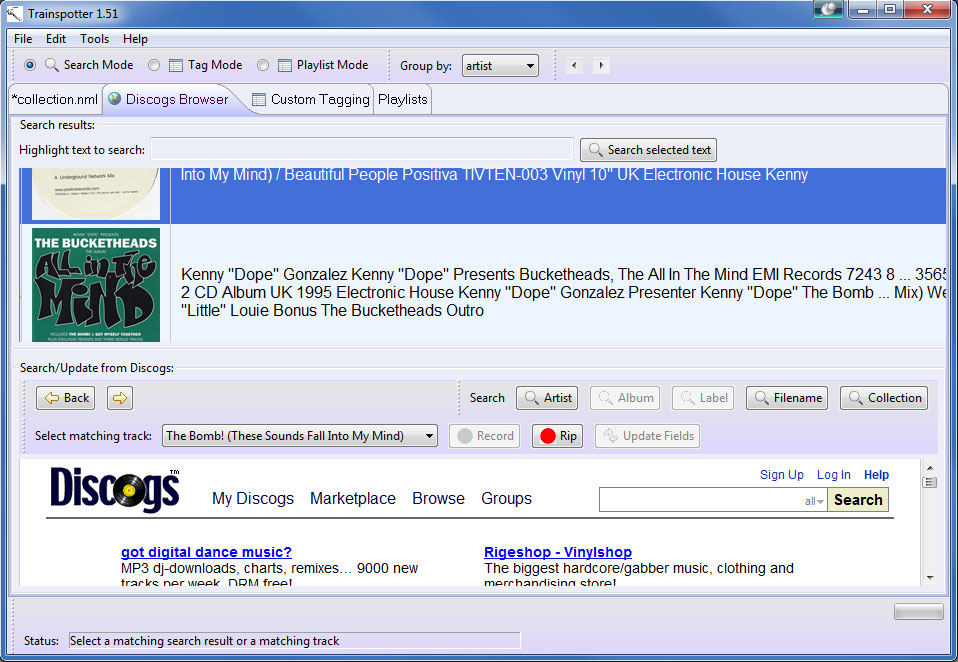
This applications queries Discogs for missing track-data and cover art. It also allows you to create dynamic playlists by tag, year, key, import date or even advanced custom playlists by using XQuery-statements. It also lets you encode your wave-files to flac or mp3 and create+record or rip tracks based on Discogs data.

Works with: Traktor 3 – Traktor Pro 1.x (tested with Traktor Pro only)

Platforms: Windows; OS X (Java-based)

ADVANCED PLAYLIST EDITOR
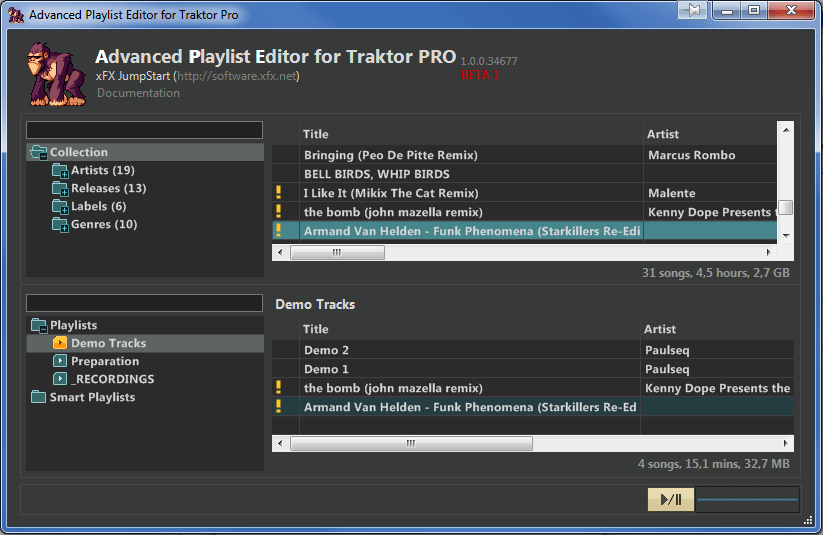
This simple utility lets you create Playlists for Traktor using its library. It also lets you edit your music files’ tags.

Works with: Traktor 3 – Traktor Pro 1.x

Platforms: Windows; OS X
advancedplaylisteditor

rapidevolution2RAPID EVOLUTION 2
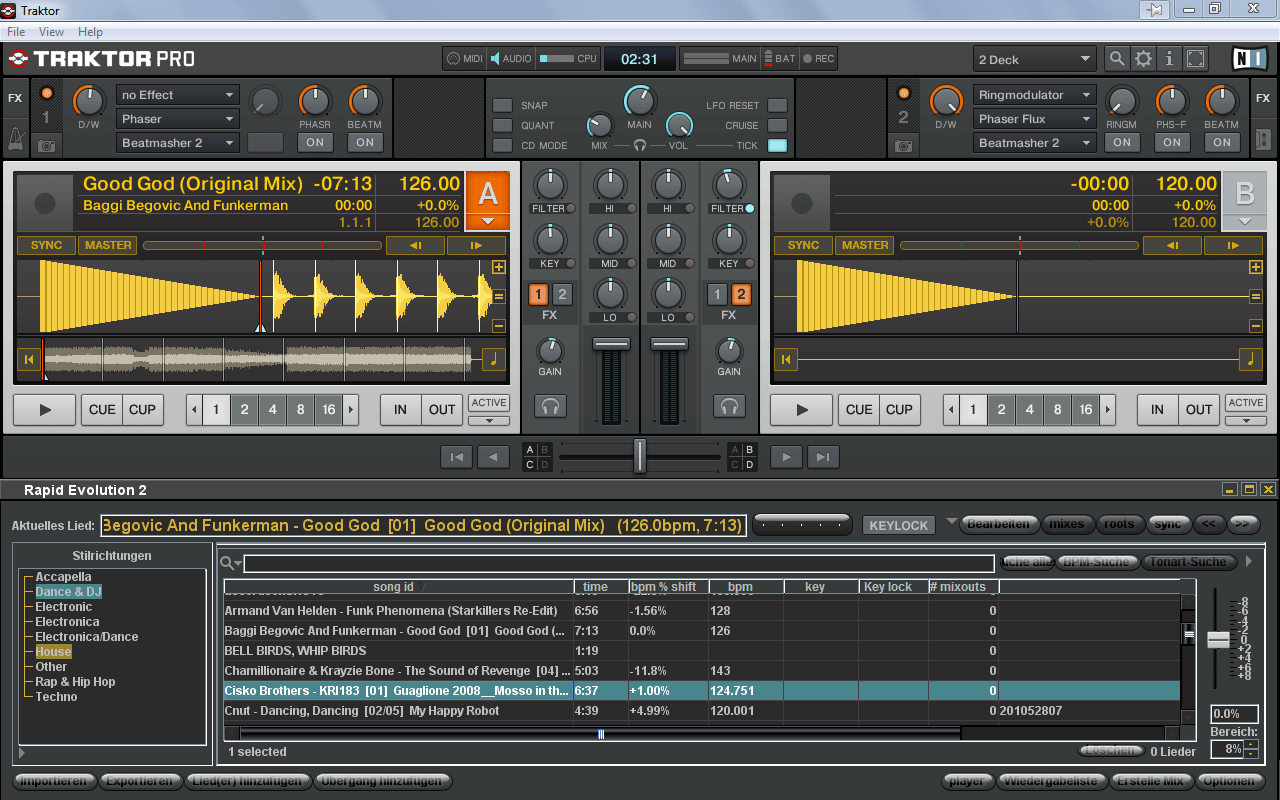
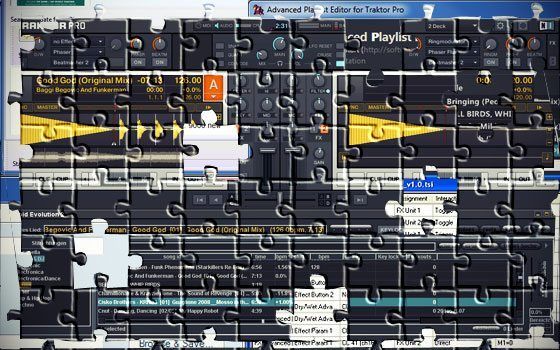
Here’s a music-database program that helps you in finding the right track to play next while you mix. It helps you look for songs that will best fit with your current one playing, taking into consideration BPM, style, key and time signature. (It can also detect the BPM and key of your music files).  You can even share all of that data with other Rapid Evolution users. RE2 can directly import several DJ-programs’ databases, including Traktor’s. During mixing, you can put it above the Traktor library and drag your chosen tracks directly onto a deck, which can look like the screenshot included here.

Note: Rapid Evolution 3 is in the works and should be available shortly.

Works with: Traktor 3 – Traktor Pro 1.x

Platforms: Windows; OS X; Linux (Java-based)
TraktorScrobblerScreenshotTWITTER APPS

TRAKTOR SCROBBLER
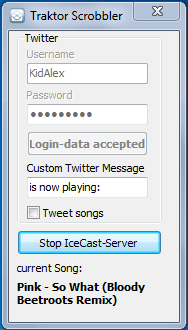
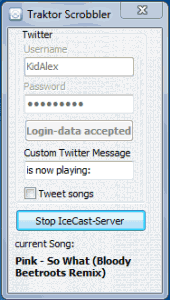
This is my own tool.It doesn’t require a running IceCast Server to determine the running track, but can be used while broadcasting. Support for other plattforms such as Last.fm is planned.

Works with: Traktor Pro 1.x

Platforms: Windows

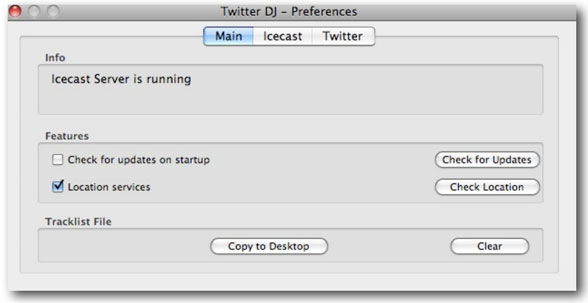
TWITTER DJ
Probably the most famous 3rd-party tool for Traktor Pro, Twitter DJ was programmed for Richie Hawtin’s label M-nus. It tweets your currently played track, but requires IceCast Server in order to run.\

Works with: Traktor Pro 1.x

Platforms: OS X
twitter-dj

traktor_metadata_listenerTRAKTOR METADATA LISTENER
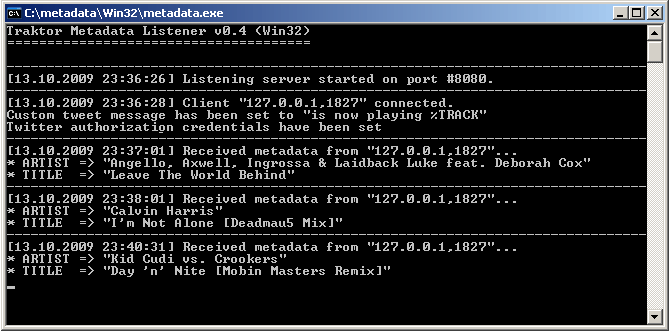
This tool is minimalistic. It is a console application and doesn’t need IceCast to work. You just write your Twitter username, password and a customized message for your tweets into Traktor Pro’s Broadcasting preferences, and you’re ready to rock.

Works with: Traktor Pro 1.x

Platforms: Windows; OS X; Linux
traktor-pro-launcher1MISCELLANEOUS

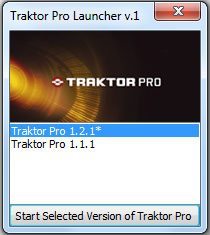
TRAKTOR PRO LAUNCHER
This is another one of my tools. It lets you start up different versions of Traktor Pro. Basically it just swaps in and out the corresponding settings.tsi file, a task that is pretty tedious to do on your own in my opinion. I am planning to introduce an extended version that gives you the ability to define different Traktor Profiles.

Works with: Traktor Pro 1.x

Platforms: Windows
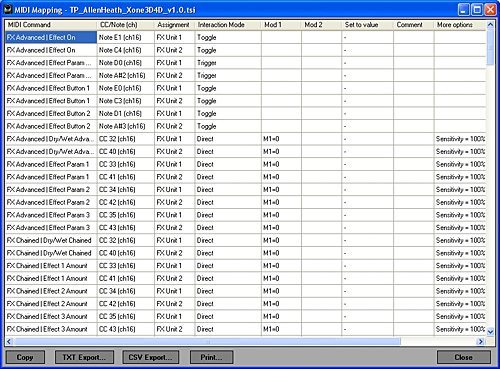
tsiviewerTSI-VIEW & PRINT
Here’s a program by RainerH, the writer of the Traktor Bible. Have you ever been annoyed about the small windows showing all MIDI & hotkey assignments? If so, then this tool might be handy for you. It displays your assignments and allows you to print them. Sadly it doesn’t work with Traktor Pro 1.2 yet. There is also an online version of this tool.

Works with: Traktor Pro 1.0 – 1.1

Platforms: Windows for the downloadable version; any for the online version.

DEATH BY 1.2

A couple of Traktor Pro-oriented utilities have been made basically obsolete with the Traktor Pro 1.2 update. But if you’re planning on sticking with Traktor Pro 1.0-1.1 for some reason, Traktor Tools (Windows-only) includes three different tools: TSI Merger merges the hotkey or MIDI assignments of multiple tsi-files; Channel Changer swaps the MIDI channel for assignments in a tsi-file; and Deck Remapper remaps the deck assignments to another deck.

There is also the Traktor Modifier Viewer (Windows-only), which shows the current Modifier values in the titlebar of Traktor Pro 1.02. ?Isn’t needed anymore, as Traktor Pro 1.2 added the Modifier panel in the MIDI-Mappings.
Tags: databasemetadataplaylisttrainspotterTraktor ProTSItwitterutility
Share3Tweet2Share
Previous Post

How To Be a Successful DJ Part 3: Production

Next Post

Controllerism Goes… Live!

Related Posts

Midi Fighter Twister controlling Traktor Pro 4 Stem decks
DJ Techniques / Tips

Ean’s powerful Midi Fighter Twister mapping for Traktor Pro 4’s Stems + Pattern Player

July 17, 2024
Traktor Pro 3.5 with streaming and CDJ-3000 HID integration
Native Instruments

Traktor Pro 3.5: CDJ-3000 HID mode, Beatsource / Beatport LINK

June 28, 2021
Traktor Pro 3.5 beta: now with Beatport LINK streaming…
Breaking News

Traktor Pro 3.5 beta: now with Beatport LINK streaming…

May 6, 2021
Load More
Next Post
Controllerism Goes… Live!

Controllerism Goes... Live!

Want to reach DJTT's audience here?

Shoot an email to advertising@djtechtools.com

DJTT ads
DJTT newsletter
Midi Fighter
Chat with us
  • ABOUT DJTT
  • CONTACT
  • PRIVACY
  • MIDI FIGHTER HELP
  • ABOUT DJTT
  • JOBS
  • CONTACT US
  • ADVERTISE
  • PRIVACY POLICY
  • ACCESSIBILITY STATEMENT

© 2024 DJ Techtools all rights reserved by DJ TechTools on all content unless otherwise noted.

No Result
View All Result
  • Blog
    • DJ Gear
      • DIY Projects
      • Gear Reviews
      • New Products
      • Controllerism
    • Techniques + Tips
      • Beginner DJ
      • Advanced DJ
      • Producer
      • Finger Drummer
    • News + Culture
      • Editorials + Opinions
      • Artist Interviews
      • Performances + Routines
      • How I Play
    • DJ Software Tutorials
      • Serato Tips
      • CDJ Tips
      • Ableton Live Tips
  • Store
    • Run by real DJs, not a corporation
    • DJ Controllers
      • Midi Fighter Twister
      • Midi Fighter Spectra
      • Midi Fighter 64
      • View All
    • Accessories
      • Chroma USB Drive for DJs
      • Chroma Caps
      • Chroma Cables Audio
      • Chroma Cables USB-A
      • Chroma Cables: USB-C
      • DJTT Gift Card
      • Midi Fighter T-Shirt
      • Keyboard Covers
      • Earplugs by V-Moda
    • Production Gear
    • Soundcards & Mixers
  • Community
    • Popular Forums
      • General Discussion
      • Buy & Sell
      • Reviews
      • Mixes
      • Music Production
      • Show Your Setup
      • Off Topic
    • Handy Links
      • New Posts
      • Private Messages
      • Register
      • Search
    • Midi Maps
      • Traktor
      • Ableton
      • Serato DJ
      • Midi Fighter 3D
      • Midi Fighter Twister
      • Midi Fighter Spectra
  • Midi Fighter
  • Chroma

© 2024 DJ Techtools all rights reserved by DJ TechTools on all content unless otherwise noted.

This website uses cookies. By continuing to use this website you are giving consent to cookies being used. Visit our Privacy and Cookie Policy.