DJ TechTools
  • Blog
    • DJ Gear
      • DIY Projects
      • Gear Reviews
      • New Products
      • Controllerism
    • Techniques + Tips
      • Beginner DJ
      • Advanced DJ
      • Producer
      • Finger Drummer
    • News + Culture
      • Editorials + Opinions
      • Artist Interviews
      • Performances + Routines
      • How I Play
    • DJ Software Tutorials
      • Serato Tips
        • Traktor Tips
      • CDJ Tips
      • Ableton Live Tips
  • Store
    • Run by real DJs, not a corporation
    • DJ Controllers
      • Midi Fighter Twister
      • Midi Fighter Spectra
      • Midi Fighter 64
      • View All
    • Accessories
      • Chroma USB Drive for DJs
      • Chroma Caps
      • Chroma Cables Audio
      • Chroma Cables USB-A
      • Chroma Cables: USB-C
      • DJTT Gift Card
      • Midi Fighter T-Shirt
      • Keyboard Covers
      • Earplugs by V-Moda
    • Production Gear
    • Soundcards & Mixers
  • Community
    • Popular Forums
      • General Discussion
      • Buy & Sell
      • Reviews
      • Mixes
      • Music Production
      • Show Your Setup
      • Off Topic
    • Handy Links
      • New Posts
      • Private Messages
      • Register
      • Search
    • Midi Maps
      • Traktor
      • Ableton
      • Serato DJ
      • Midi Fighter 3D
      • Midi Fighter Twister
      • Midi Fighter Spectra
  • Midi Fighter
  • Chroma
No Result
View All Result
DJ TechTools
  • Blog
    • DJ Gear
      • DIY Projects
      • Gear Reviews
      • New Products
      • Controllerism
    • Techniques + Tips
      • Beginner DJ
      • Advanced DJ
      • Producer
      • Finger Drummer
    • News + Culture
      • Editorials + Opinions
      • Artist Interviews
      • Performances + Routines
      • How I Play
    • DJ Software Tutorials
      • Serato Tips
        • Traktor Tips
      • CDJ Tips
      • Ableton Live Tips
  • Store
    • Run by real DJs, not a corporation
    • DJ Controllers
      • Midi Fighter Twister
      • Midi Fighter Spectra
      • Midi Fighter 64
      • View All
    • Accessories
      • Chroma USB Drive for DJs
      • Chroma Caps
      • Chroma Cables Audio
      • Chroma Cables USB-A
      • Chroma Cables: USB-C
      • DJTT Gift Card
      • Midi Fighter T-Shirt
      • Keyboard Covers
      • Earplugs by V-Moda
    • Production Gear
    • Soundcards & Mixers
  • Community
    • Popular Forums
      • General Discussion
      • Buy & Sell
      • Reviews
      • Mixes
      • Music Production
      • Show Your Setup
      • Off Topic
    • Handy Links
      • New Posts
      • Private Messages
      • Register
      • Search
    • Midi Maps
      • Traktor
      • Ableton
      • Serato DJ
      • Midi Fighter 3D
      • Midi Fighter Twister
      • Midi Fighter Spectra
  • Midi Fighter
  • Chroma
No Result
View All Result
DJ TechTools

Engine: Denon’s Answer to Rekordbox

Karlo Cleto by Karlo Cleto
March 13, 2012
in DJ Software, News + Culture
Reading Time: 4 mins read
0
Engine: Denon’s Answer to Rekordbox
126
VIEWS
Post on FacebookTweet thisUpvote on Reddit

Last week, Denon made an official announcement of their new Engine software, setting Pioneer’s Rekordbox squarely in their sights in their quest to rule the CDJ/media player controlled DJ booth. Does Engine have what it takes to eat away at the industry giant, or will Pioneer’s time-tested workflow stand fast? Read on to find out our take on this battle.

When Pioneer introduced Rekordbox in 2010, CDJ users wary of plunging completely into laptop-based performance were given a way to enjoy some of the key benefits of DJ software (pre-stored loop and cue points and hot cues, virtual crate management, quick track searches, etc.) without having to work off a computer during shows. It was as a suitable middle ground between the old and new, promoting the interface and familiar form factor of traditional DJ media players, alongside the greater dynamism and creative flexibility of software-aided performance.

With the introduction of Engine, Denon users will be able to benefit from similar capabilities as well – but how do the software stack up?

Engine
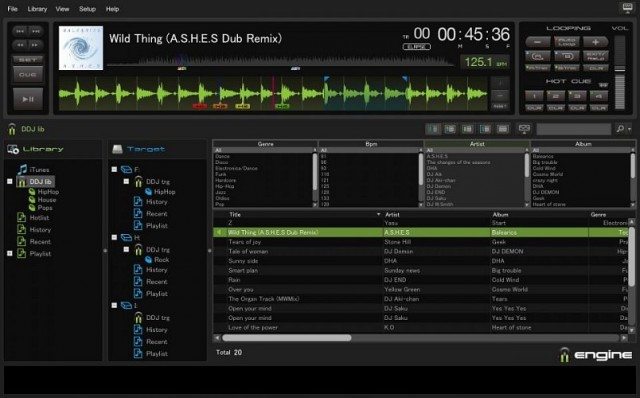
The Engine GUI

Engine is a new cross-platform music management system for use on next-gen Denon network media players such as the SC3900 announced just two weeks ago. In many ways it is similar to Rekordbox, allowing users to analyze tracks offline prior to performances and save data such as hot cues, cue points and loop points, as well as BPMs and waveforms, for recall in the DJ booth. Like Rekordbox, it also offers advanced virtual crate management features, with iTunes playlist integration, as well as efficient track searches, tagging and organization.

The software’s GUI is similar to that of Rekordbox, with a dark, club-ready look dominated by gray and black. The top halves of both have a large waveform display and CD player-style buttons, and on the bottom halves are the crate browsers, both of which employ familiar, hierarchical tag-based facilities.
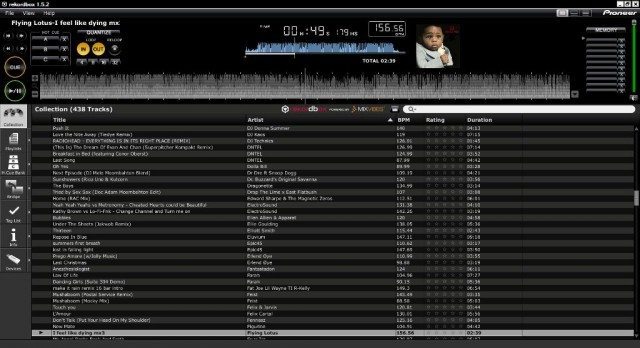
The Rekordbox GUI

Linking Up

The two music management suites also offer similar network capabilities. With the LINK function that was later added to Rekordbox, users were given the option of switching between playing tracks stored on USB drives and loading music files and attached data from laptops connected to the CDJs via LAN cable. Engine offers similar functionality upon release, with its PC-LINK feature.

Denon’s PC-LINK streams music stored on connected computers to the SC3900 over LAN cables, allowing DJs to enjoy the large display of their laptops while confining the actual control and audio processing and playback on the hardware media players. This also effectively gives DJs who would otherwise play off thumb drives a much larger crate to work with, and saves users the trouble of moving files from computer to external USB drive.

This network method presents distinct performance benefits as well- because all of the hard work happens on the SC3900, with Engine merely sending files to and between connected players, even lower spec computers have the potential to be used as virtual crates and performances can go on even if one’s computer freezes up.

iPad-friendly
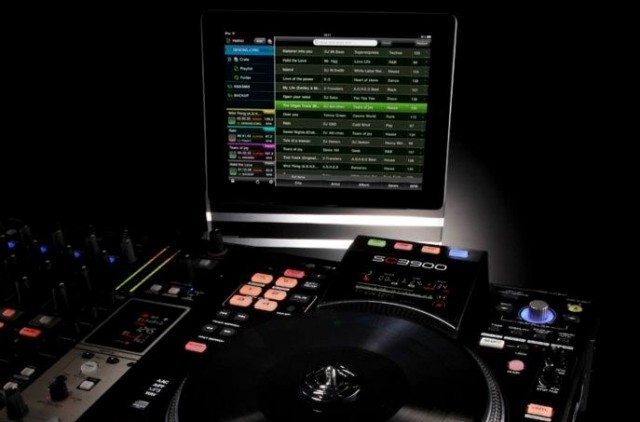
We were excited to see iPad integration in Engine, setting it ahead of Rekordbox. Perhaps as a means of making up for the relatively modest display on the SC3900 (compared to newer Pioneer CDJs), Denon has also released an Engine app for the iPad that lets users control USB devices connected to DJ media players, browse for and share tracks between 2-4 media players, and monitor activity on the networked “Engine-ready” hardware.
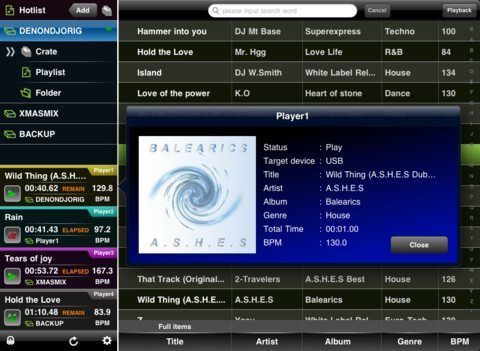
The iPad Engine App

For users of Engine’s PC-LINK function with a laptop already in the booth, the program’s iPad integration might seem frivolous. However, Denon DJs who gig without a laptop should find the iPad to be a very convenient control hub for Engine, as well as a much more detailed track info display than that on the SC3900.

Even if you do already have a laptop running Engine in the booth, the iPad’s touch screen seems to offer a very quick and easy way of browsing through one’s crates and sending files to networked media players, allowing for quicker searches, sharing and playback- a benefit that could be well worth the cost of bringing an extra piece of hardware to gigs.

Weighing In
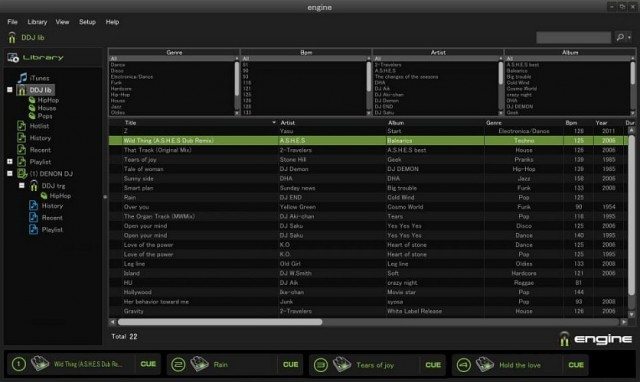
The Engine Browser

All in all, there aren’t a lot of substantial differences between Engine and Rekordbox, so the choice between the two becomes a question of seeing what brand of equipment is available at the club or venue you play in. Using the iPad as a control hub between networked Denon media players is a very nice option to have.

One of the most frequent complaints users had about Rekordbox was how limiting its track preparation facilities is compared to those offered by full-scale digital DJ platforms like Traktor and Serato, and this criticism might be applied by some to Engine as well.

What should be realized is that Engine, as well as Rekordbox, are tools with very specific purposes. Both Engine and Rekordbox are undeniably useful for DJs using newer, network-capable Denon and Pioneer media players, respectively, taking away much of the hassle of playing, maintaining and organizing crates of digital music, and freeing up mind space for more creative and dynamic performances.

This article was written for us by Karlo Cleto, a guest writer for the TechTools team. 


Tags: denon engineipadmedia playerpioneer rekordbox
Share1Tweet1Share
Previous Post

EQ Mixing: Critical Techniques and Theory

Next Post

Traktor Pro 2.5 and Kontrol F1 Launch, Exclusive DJ Shiftee Video + Interview

Related Posts

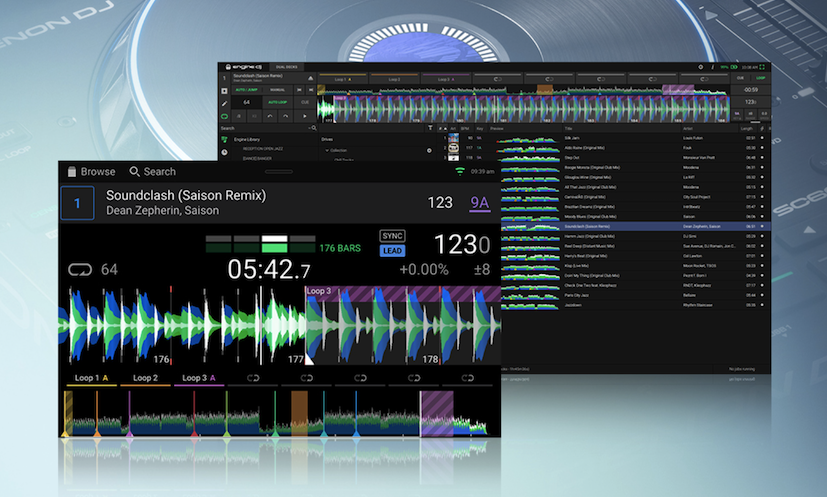
Engine DJ’s latest 2.2 release: bug fixes, new features like Active Loops, Virtual DJ Computer Mode, Metronome + more
DJ Software

Engine DJ’s latest 2.2 release: bug fixes, new features like Active Loops, Virtual DJ Computer Mode, Metronome + more

April 27, 2022
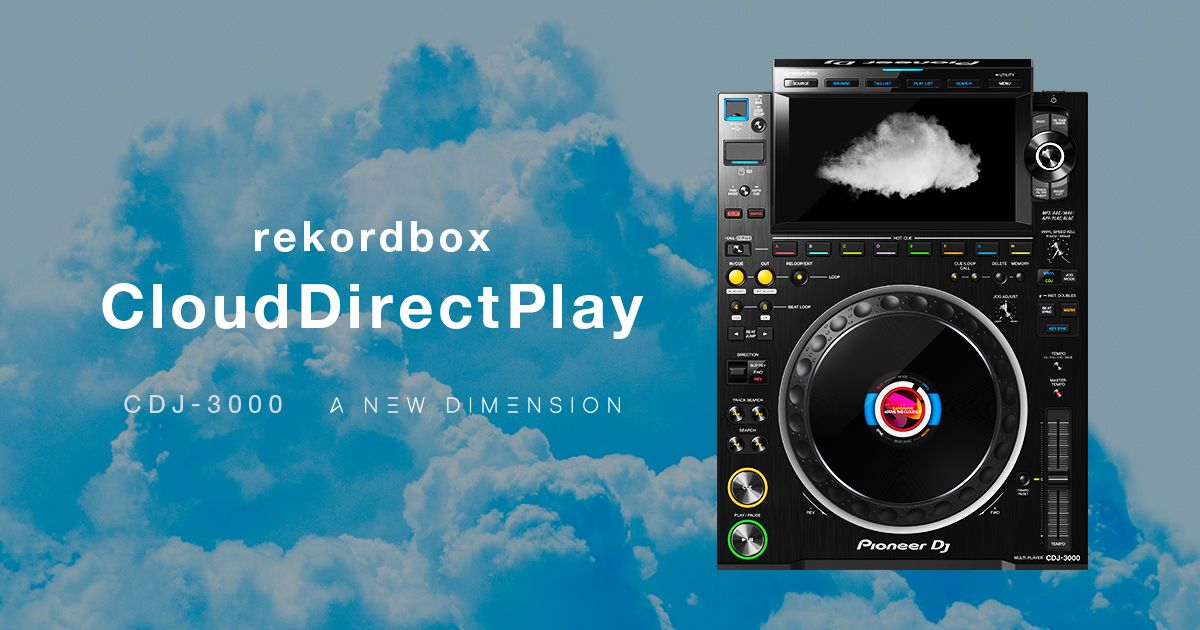
New CDJ-3000 firmware update: play tracks directly from your cloud library
News

New CDJ-3000 firmware update: play tracks directly from your cloud library

November 30, 2021
Rekordbox releases Android version of mobile app
News + Culture

Rekordbox releases Android version of mobile app

March 15, 2021
Load More
Next Post
Traktor Pro 2.5 and Kontrol F1 Launch, Exclusive DJ Shiftee Video + Interview

Traktor Pro 2.5 and Kontrol F1 Launch, Exclusive DJ Shiftee Video + Interview

Want to reach DJTT's audience here?

Shoot an email to advertising@djtechtools.com

DJTT ads
DJTT newsletter
Midi Fighter
Chat with us
  • ABOUT DJTT
  • CONTACT
  • PRIVACY
  • MIDI FIGHTER HELP
  • ABOUT DJTT
  • JOBS
  • CONTACT US
  • ADVERTISE
  • PRIVACY POLICY
  • ACCESSIBILITY STATEMENT

© 2024 DJ Techtools all rights reserved by DJ TechTools on all content unless otherwise noted.

No Result
View All Result
  • Blog
    • DJ Gear
      • DIY Projects
      • Gear Reviews
      • New Products
      • Controllerism
    • Techniques + Tips
      • Beginner DJ
      • Advanced DJ
      • Producer
      • Finger Drummer
    • News + Culture
      • Editorials + Opinions
      • Artist Interviews
      • Performances + Routines
      • How I Play
    • DJ Software Tutorials
      • Serato Tips
      • CDJ Tips
      • Ableton Live Tips
  • Store
    • Run by real DJs, not a corporation
    • DJ Controllers
      • Midi Fighter Twister
      • Midi Fighter Spectra
      • Midi Fighter 64
      • View All
    • Accessories
      • Chroma USB Drive for DJs
      • Chroma Caps
      • Chroma Cables Audio
      • Chroma Cables USB-A
      • Chroma Cables: USB-C
      • DJTT Gift Card
      • Midi Fighter T-Shirt
      • Keyboard Covers
      • Earplugs by V-Moda
    • Production Gear
    • Soundcards & Mixers
  • Community
    • Popular Forums
      • General Discussion
      • Buy & Sell
      • Reviews
      • Mixes
      • Music Production
      • Show Your Setup
      • Off Topic
    • Handy Links
      • New Posts
      • Private Messages
      • Register
      • Search
    • Midi Maps
      • Traktor
      • Ableton
      • Serato DJ
      • Midi Fighter 3D
      • Midi Fighter Twister
      • Midi Fighter Spectra
  • Midi Fighter
  • Chroma

© 2024 DJ Techtools all rights reserved by DJ TechTools on all content unless otherwise noted.

This website uses cookies. By continuing to use this website you are giving consent to cookies being used. Visit our Privacy and Cookie Policy.