As iPad DJ apps steadily get cooler and cooler, eventually something’s got to give and make the tablet more of mainstay in DJ rigs. Zerodebug’s d(–)b takes one more small step on that path. Its modular interface for up to six deck control, along with some useful performance features and reliable beat grid analysis and syncing make it one to watch. Is it worth the nominal app fee? We examine the v.1 results inside.
Reviewed: Zerodebug d(–)b Modular DJ app
Price: $16.99 (on iTunes – or free if you win our giveaway!)
Available: Now
Requirements: iPad with iOS 6.0 or later
The Good: Slick modular interface that scales decks and controls seamlessly to the available screen real estate. Fun loop roll adds a key dynamic element to mixing with the app. Beat grid editing. Kill switches for the 3-band EQ. Ability to use Sync or pitch & nudge for mixing.
The Bad: No effects (yet). No crossfader. Some clicking artifacts when the processor load is high. Template editor requires a lot of patience and some learning curve.
The Bottom Line: This isn’t yet the groundbreaking iPad app that’s going to have you chucking your laptop from your performance rig, but it is a capable platform that you can use to create legitimately seamless sets. Plus, big promises for future additions have us looking forward to more.
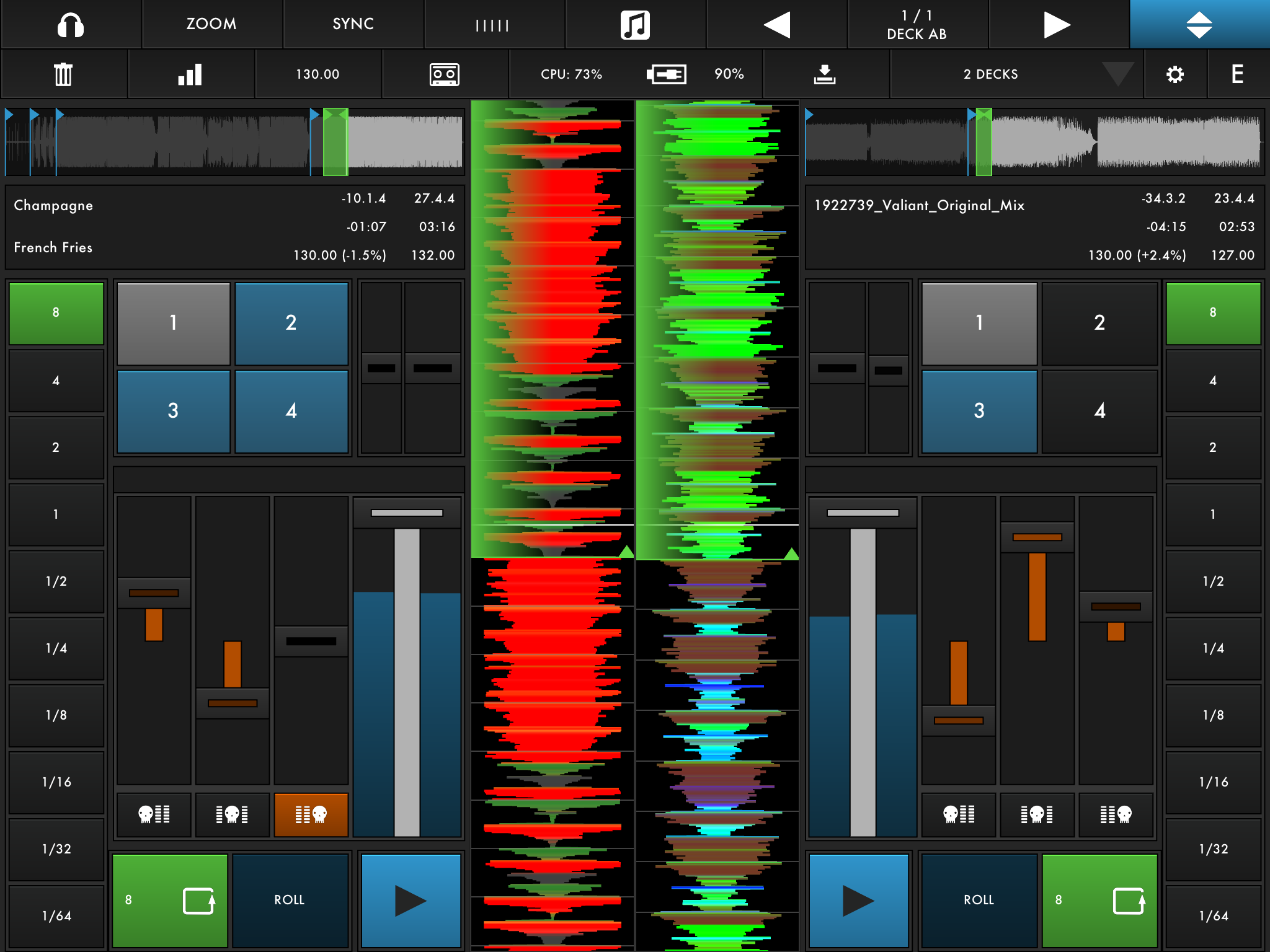
OVERVIEW & SPECS
iPad DJ apps kind of feel like pre-iPhone smartphones. We’re into the platform and excited by the possibilities, but we’re still anxiously waiting for some brilliant breakthrough that swoops in and changes the game forever.
Zerodebug (formerly AppBC), the makers of the Ableton Live iPad controller, touchAble, brings us d(–)b, an intriguing modular approach to iPad mixing. It’s not yet the Holy Grail of iPad DJ apps, but with its v.1 release, it may be laying down the source code for the brighter future to come.
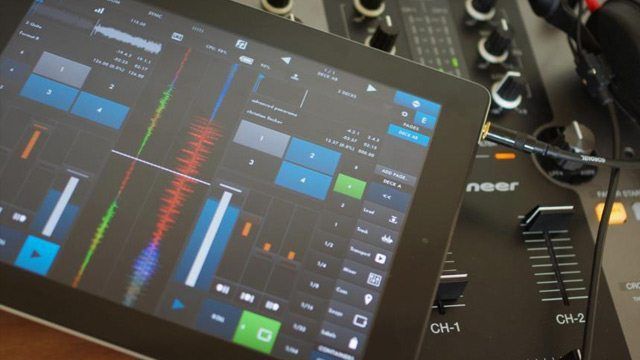
Layout flexibility defines db. The app can host 1-6 DJ decks at a time, each one with controls that you can arrange and size to your liking, that is if you don’t just choose one of the pre-baked templates. Flexible audio options let you pre-cue tracks in stereo, use split output audio to do mono monitoring, or hook up any class-compliant USB Audio Interface with the iPad Camera Connection Kit for secondary stereo outputs, as well as better audio quality.
While not checking off every single feature from the digital DJ list, db sets you up for proper mixing with access to the iTunes library, color-coded waveforms zoomable in real time, 4 cue points per deck, 3-band EQ with kill switches, loops from 1/64th to 8 bars, loop roll, tempo and beat grid detection, sync, beat grid editing, pitch & nudge ability with 10% / 1% pitch control, and internal recording.

SYSTEM BARS
Control menu bars across the top of the app, which d(–)b calls System Bars, hold buttons to activate/deactivate monitoring, zooms in/out of the waveform, activate/deactivate sync, open the Grid editor, open the Browser, scroll though any template pages, or create a new template.
A secondary System Bar can be hidden to save screen space. This one has the delete, record, sync, and settings buttons, as well as the template load/create controls.
The delete, zoom and sync buttons all work by first holding them and then selecting the waveform to zoom or sync or the element — be it a cue point, deck, playlist, playlist track, etc. — to delete. At times it can feel fine to execute these hold-and-presses with one hand, and other times using two hands seems more appropriate.
BROWSER
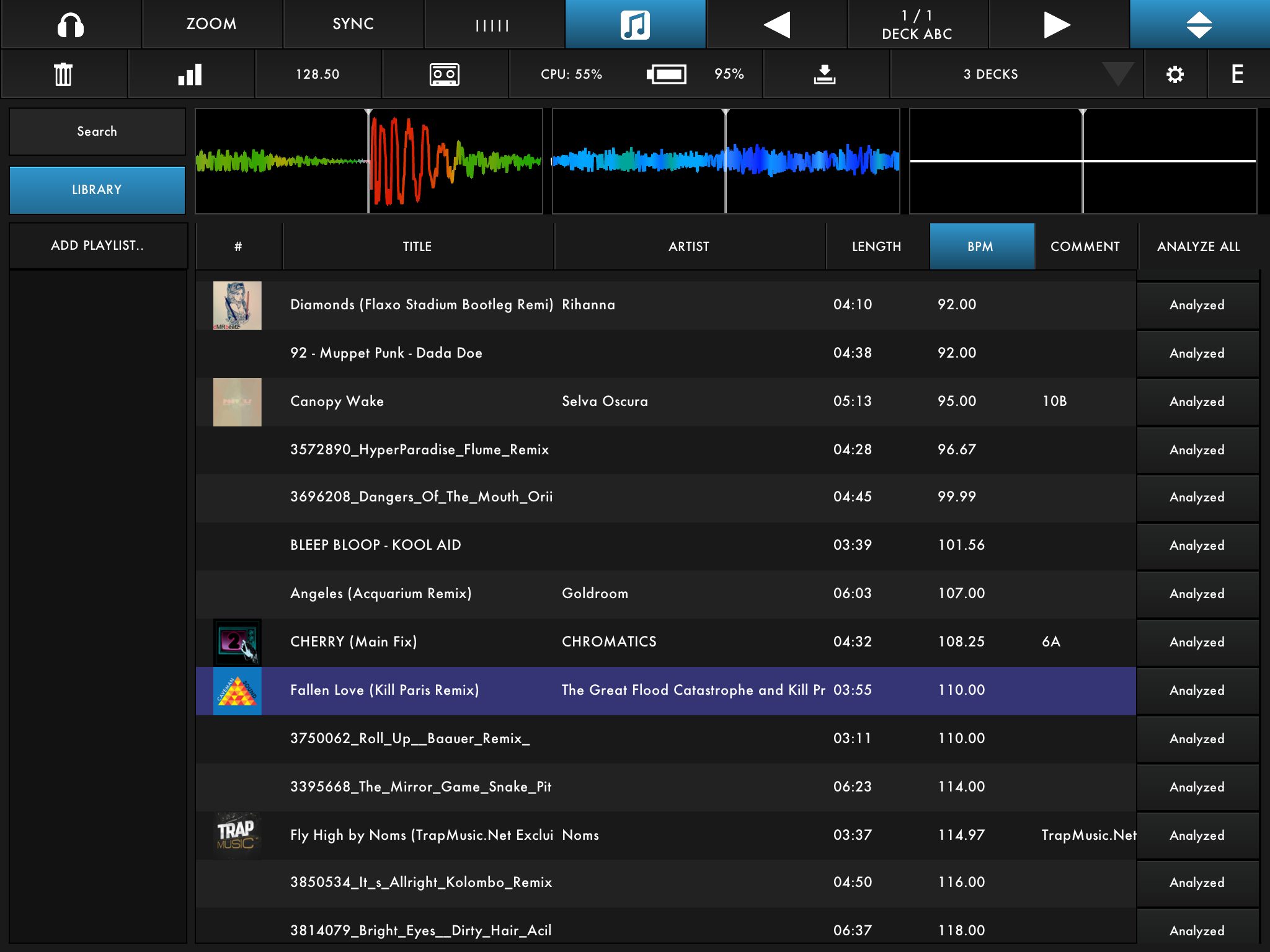
Go to the Browser screen and d(–)b reads your iPad’s iTunes library. The app will have to analyze each song before use for the waveform, tempo and beat grid, and you can analyze songs within the browser one at a time or all at once. It took d(–)b about 20 minutes to analyze 100 songs on the iPad 3 we used to test it. Keep in mind that d(–)b’s saved data from track analysis seems to amount to about 1MB per song, which can eat up a significant chuck of your iPad’s storage if you have a large music library.
You can sort track by various song criteria, and the Browser is also where you can create playlists by dragging songs into them. To load tracks, you just drag them from the Browser list to one of the available decks above it.
GRID MODE
I found d(–)b’s beat grid analysis to be quite accurate most of the time, but occasionally the Startbeat marker wasn’t placed where I wanted it, the tempo analysis was off, or the beat grid placement was slightly off.

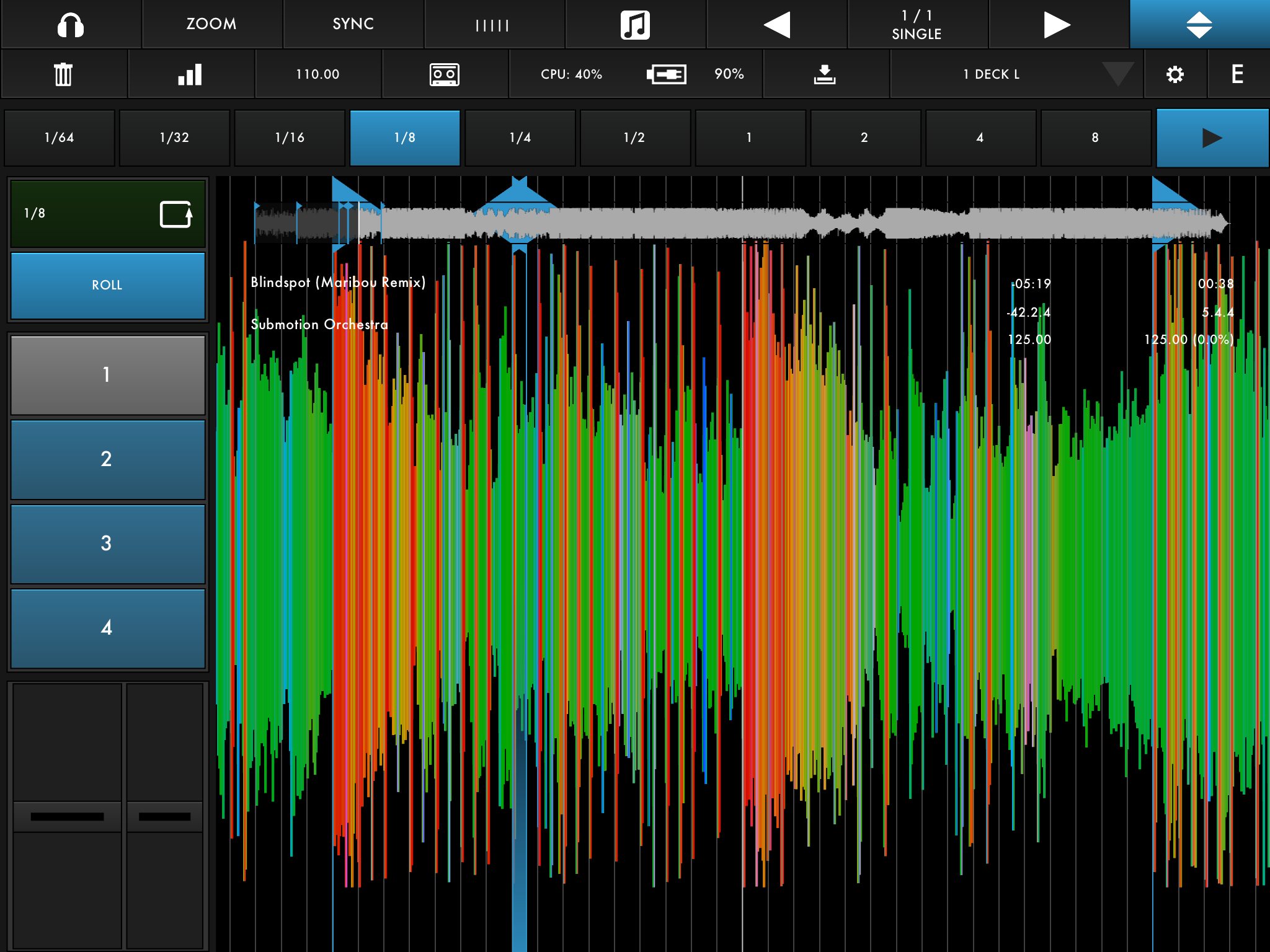
To edit a beat grid, you hold the Grid button in the top System Bar and then select the waveform to edit. From the Grid Mode screen, you can zoom in and out on the waveform to see the grid at the resolution you want. You can drop a new Startbeat wherever you want it, and that will align the rest of the beat grid accordingly. To do this, you can simply drag the waveform to the place you want it, or use buttons to either fine tune the Startbeat’s placement or to move it left or right by one beat at a time. You can also re-enter the tempo manually, or if the app misread the tempo by a common fractional error, you can double, half, or multiply the tempo by 2/3 or 3/2.
TEMPLATES
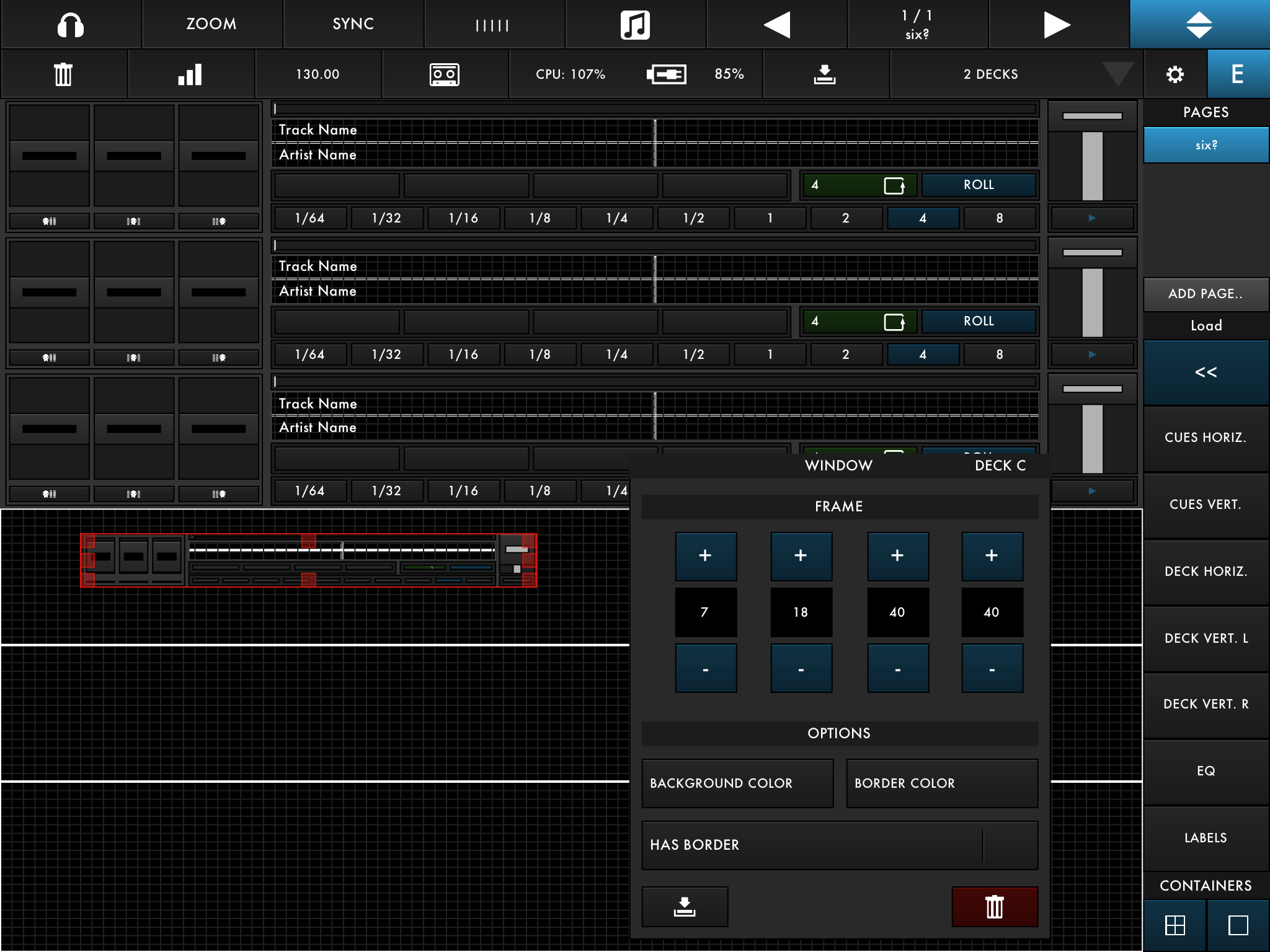
If you want to create and save your own d(–)b templates, it’s a bit of a slog to work through the template editing system, but on the plus side, you can create a template for any control elements that you want sized the way you want them. A template includes 1-6 pages and 1-6 decks, so it could be 6 decks on one page each, 6 decks all on a single page, 4 deck on 2 pages, and so on. You can use sizable Containers or Windows to construct custom decks, or use d(–)b’s preset decks and control elements to make constructing a template much faster.
The modular design and seamless resizability of every element in d(–)b is impressive, but I’m guessing that many users will be satisfied for the most part with d(–)b’s preset 1-, 2-, 3-, and 4-deck templates.
PERFORMANCE
We tested d(–)b on an iPad 3 running iOS 6.1.2. There were a couple of performance quirks that popped up, but Zerodebug seems to be working diligently on addressing problems, having already updated d(–)b to 1.0.1 to fix some of the original bugs.
Sometimes the timing of setting cue points or loops felt off. For example, setting cue points in real time was hit or miss as to whether they’d land on the downbeat. For now, it seems better to set them with playback paused so you can line them up. Zerodebug confirmed to us that the cue-point setting is not quantized in this version, but that quantized cue points will be strongly considered for future updates.
Also, launching cues with loops simultaneously worked only sporadically. And a few times after setting a cue point and then resuming playback, the audio would not kick in right away.
During our tests, playback audio had some occasional artifacts — clicks mainly — when the processor experienced a usage spike. These occurrences came when playing three or more decks at once. We’d like to note that the iPad we were using had reached zero storage capacity while d(–)b was analyzing hundreds of tracks, and we don’t know for sure if the playback glitches were associated with that.
One really commendable feature was the Loop Roll. It responded impeccably in our tests, and picks right back up with the continuous play of the track when you’re finished. Choose a loop value, and then hold the Roll button for as long as you want. With Roll held down, you can change the loop value, which is key to getting the most from this feature.
The EQ kills also stand out. If you quickly tap a kill switch, it will toggle, if you press it for a longer duration, it will act as a momentary switch. The kills were instrumental in creating layers of music with 3 or 4 decks playing, although we still found no requirement for the full 6-deck capacity.
ZERO TO HERO?
As a v.1 app, d(–)b lays down a solid base of intuitive usability and customization; mostly smooth response to scratching, fading, and button presses; and some welcome features like Loop Roll, EQ kills, and EQ triangle.
It does, however, feel like a work in progress. The app’s promo video (see below) promises features to come, such as MIDI mappings, FX modules, and MIDI clock. We’d also like to see keylock, the option of a crossfader, and maybe even DVS support down the line.
Of course, with the limited hardware of the iPad, we’d rather see stable performance than rushing to stuff all the DSP-intensive features into the app right away. Recent iPads — iPad 3 or 4 — would be best suited to run d(–)b, so owners of these luxury items may not balk too much at the $16.99 price for a still-developing app. If you have any faith in Zerodebug to keep providing free updates until the feature set is rounded out, and you’ve got an interest in trying out one of the more creative DJ mixing iPad apps, you might as well dive right into d(–)b.
Win one of three copies of the app by entering our giveaway:
Markkus Rovito is the DJTT Tech Editor – if you’ve got gear you want reviewed, message him and we’ll get to it!